Most of the printers we rely on today — whether for printing school assignments, office reports, or shipping labels — belong to a category called non-impact printers. Unlike the loud, mechanical printers of decades past, these machines work quietly and efficiently, delivering crisp, high-quality prints without physically striking the paper.
From compact inkjet models in homes to high-speed laser printers in busy offices, non-impact printing technology powers much of our daily workflow. Understanding what a non-impact printer is, how it works, and the types available can help you appreciate the tech behind those smooth, precise prints — and even make better decisions when choosing a printer for your needs.
This guide breaks it down in simple terms, starting with what a non-impact printer actually is before exploring its types, key features, and real-world applications.
What is of a Non-Impact Printer?
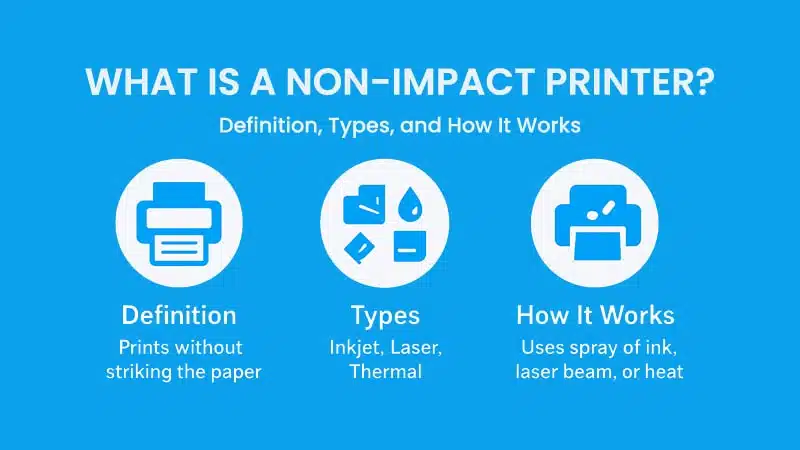
A non-impact printer is a type of printer that produces text or images on paper without making physical contact between a printing mechanism and the paper surface. Instead of using mechanical force like the older impact printers, it relies on more advanced methods such as spraying ink, using laser beams, or applying heat.
This technology marked a big leap from the early days of printing, offering faster speeds, quieter operation, and better print quality. Over time, non-impact printers have become the standard in homes, offices, schools, and even industrial settings, replacing impact printers almost entirely for everyday use.
Key Features of Non-Impact Printers
Non-impact printers have evolved to meet the demands of modern users, from busy office workers to students at home. Their combination of quiet performance, speed, and precision has made them the default choice for nearly every environment where documents or images need to be printed.
Here’s a closer look at the key features that make non-impact printers stand out.
Quiet Operation
If you’ve ever been in a room with an old dot matrix printer, you’ll remember the loud clicking and clattering as it printed. Non-impact printers solved that problem by eliminating the need for physical impact on the paper. Instead, they rely on technologies like ink spraying, laser imaging, or thermal transfer, which operate almost silently.
This quiet operation makes them ideal for places where noise can be distracting. Offices, libraries, and classrooms often prefer non-impact printers because they allow people to work without unnecessary interruptions. Even at home, it’s convenient to print late at night without disturbing others.
In professional environments, the low noise level isn’t just about comfort — it also contributes to a calmer, more productive atmosphere. Many businesses choose non-impact printers specifically for this reason, especially in open workspaces where reducing distractions is a priority.
High Print Quality
One of the strongest advantages of non-impact printers is their ability to deliver high-resolution prints. Many models today support resolutions up to 1200 dpi (dots per inch) or higher, resulting in crisp text and sharp images that are difficult to achieve with older impact printers.
This level of precision is particularly useful for tasks that demand professional-looking results. Whether you’re preparing business proposals, creating marketing materials, or printing school projects, non-impact printers ensure that every detail comes out clean and legible.
Photo enthusiasts also appreciate this feature. Inkjet models, for instance, are popular for home photo printing because they can produce vibrant, true-to-life colors that rival professional photo labs when used with high-quality paper.
Faster Printing Speeds
Speed is another area where non-impact printers shine. By using advanced digital mechanisms, they can handle multiple pages quickly without sacrificing quality. For example, a standard office laser printer can output 20 to 30 pages per minute, while some high-end models can reach speeds of 50 ppm or more.
This makes them especially valuable in environments where time matters. Offices with frequent printing tasks, such as legal firms, schools, or logistics companies, rely on the efficiency of non-impact printers to keep up with demand.
Even for casual users, faster printing speeds are a time-saver. Instead of waiting several minutes for a document to finish, you can have your pages ready in seconds, making the entire printing experience smoother and more convenient.
Digital Compatibility
Modern workflows demand flexibility, and non-impact printers are designed to keep up. Most models today support a range of connectivity options, from USB and Wi-Fi to Ethernet and Bluetooth. Some even integrate with cloud platforms like Google Drive or Dropbox, allowing you to print directly from your smartphone or laptop without needing a cable.
This digital compatibility also makes it easier for multiple users to share a single printer. In an office setting, for example, employees can send print jobs remotely and retrieve their documents when they’re ready. At home, family members can connect different devices to the same printer, simplifying access for everyone.
Additionally, many non-impact printers now come with companion apps that let you monitor ink or toner levels, troubleshoot errors, and even order supplies with just a few taps. This kind of smart integration reflects how printing technology has adapted to fit seamlessly into the digital age.
How a Non-Impact Printer Works
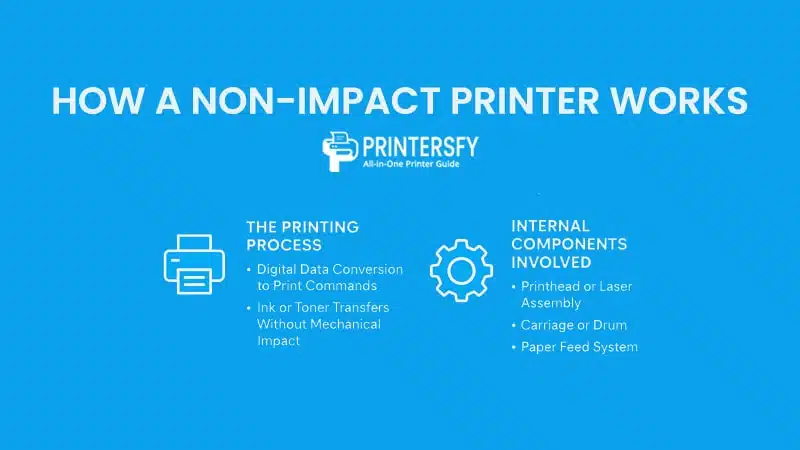
While non-impact printers may seem simple on the outside — press print and your page appears — the process happening inside is surprisingly advanced. These printers rely on precise digital instructions and specialized components to create clean, accurate prints without ever striking the paper.
Here’s a closer look at how it all comes together.
The Printing Process
Digital Data Conversion to Print Commands
Every print job starts with data. When you click “Print,” your computer, smartphone, or tablet sends the digital file to the printer in a format it can understand. This data is processed by the printer’s internal controller, which translates the content — text, images, or graphics — into highly detailed commands.
These commands tell the printer exactly where to place ink or toner, down to the tiniest fraction of an inch. This precision is why even small fonts or complex images look sharp and consistent across multiple pages.
The seamless conversion from digital to physical output is one of the reasons non-impact printers are so versatile. Whether you’re printing a Word document, a PDF report, or high-resolution photos, the printer interprets and processes the data efficiently.
How Ink or Toner Transfers Without Mechanical Impact
Unlike impact printers, which strike an ink ribbon against the paper, non-impact printers use non-contact techniques to place ink or toner.
- Inkjet printers spray microscopic droplets of ink directly onto the paper through precision nozzles. The droplets are so fine that they can blend to create smooth gradients and sharp details.
- Laser printers use a laser beam to “draw” an image onto a charged drum. Toner particles are attracted to the charged areas, then fused onto the paper using heat and pressure.
- Thermal printers apply heat to either a special heat-sensitive paper (direct thermal) or to a ribbon that transfers ink onto labels or tags (thermal transfer).
These advanced methods allow for high-speed, high-quality printing without the wear and tear associated with physical impact mechanisms.
Internal Components Involved
Printhead or Laser Assembly
At the core of every non-impact printer is its print engine. For inkjet models, this means the printhead, which contains rows of microscopic nozzles that eject ink with incredible precision. In laser printers, the equivalent component is the laser assembly, which guides the laser beam to create an electrostatic image on the drum.
Both systems are designed for durability and accuracy, ensuring consistent output over thousands of pages with minimal maintenance.
Carriage or Drum
The Printer carriage in an inkjet printer holds the printhead and moves it back and forth across the paper. This synchronized motion allows for precise placement of ink, even for complex graphics.
In laser printers, the drum unit serves a similar purpose but in a different way. It carries the charged image created by the laser and transfers toner onto the paper before the fuser melts the toner to make it permanent.
Paper Feed System
The paper feed system ensures that sheets are picked up, aligned, and fed smoothly through the printer. Modern non-impact printers use rollers and sensors to manage paper movement, reducing the risk of jams or misfeeds.
This system works in perfect harmony with the print engine, ensuring that the timing and alignment are accurate. That’s why even high-speed printers can produce page after page without errors or misalignment.
Types of Non-Impact Printers
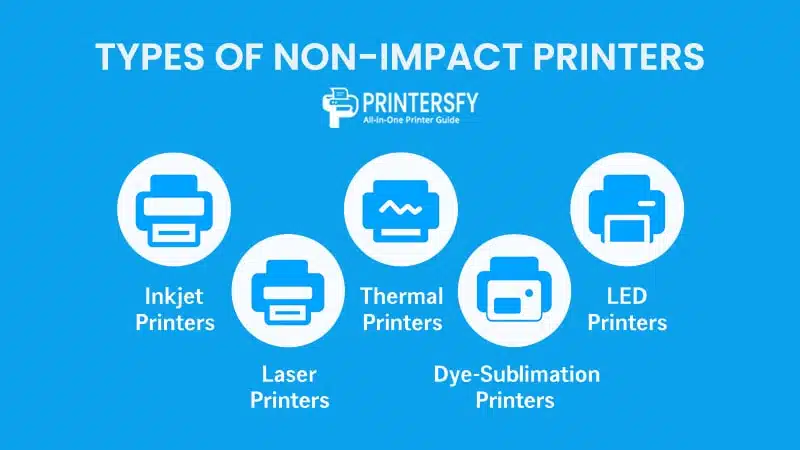
Non-impact printers come in several types, each designed for specific printing needs. While their internal mechanisms may differ, they share one core principle: printing without mechanical impact on the paper surface.
From versatile inkjet printers for home use to high-speed laser and LED printers in offices, and even specialized thermal and dye-sublimation printers for industrial or creative applications, understanding these types of printers will help users choose the right printer based on their requirements.
Inkjet Printers
Inkjet printers are the most common type of non-impact printer used in homes and small offices. These printers work by spraying microscopic ink droplets directly onto the paper, resulting in sharp and high-resolution prints suitable for both text and images.
According to PCMag, inkjet printers are perfect for mixed use, making them ideal for printing school assignments, reports, or even borderless family photos. Their flexibility is one reason they remain a favorite for home users. However, the downside is the relatively high cost of ink cartridges, especially for those with frequent printing needs.
Manufacturers like Epson EcoTank and Canon MegaTank have addressed this issue with refillable ink systems, significantly reducing the cost per page. IDC Asia reports that tank-based inkjets now account for over 60% of the home printer market in Southeast Asia, a clear sign of their growing popularity.
Laser Printers
Laser printers are built for speed and efficiency, making them the preferred choice for offices, schools, and businesses that need to handle high-volume printing. They use laser beams to create an electrostatic image on a drum, which then attracts toner powder and transfers it to paper.
TechRadar highlights that “laser printers excel in speed and efficiency, particularly when handling large volumes of text-heavy documents,” which explains their dominance in office environments. For instance, models like the HP LaserJet Pro or Brother HL series can print dozens of pages per minute while maintaining crisp text quality.
Another advantage is cost efficiency in the long run. Although the initial investment is higher compared to inkjets, laser printers often have a much lower cost per page and require less frequent maintenance, making them a practical solution for heavy-duty users.
Thermal Printers
Thermal printers are highly specialized non-impact printers commonly used in logistics, retail, and healthcare. Instead of using ink or toner, they rely on heat to print on special thermal paper (direct thermal) or to transfer ink from a ribbon (thermal transfer).
According to Zebra Technologies, thermal printing offers unmatched speed and reliability, which is why it has become the standard in warehouses, hospitals, and point-of-sale systems. Businesses like e-commerce platforms or retail stores depend on thermal printers for generating shipping labels, receipts, or barcode stickers efficiently.
One drawback of direct thermal printing is that the prints tend to fade over time when exposed to heat or sunlight. For applications requiring long-term durability, thermal transfer printers are a better fit because they produce prints that are more resistant to environmental factors.
Dye-Sublimation Printers
Dye-sublimation printers are the go-to option for photographers and creative professionals who demand superior color accuracy and durability. This technology uses heat to vaporize dye and infuse it onto paper or other materials, resulting in vibrant, lab-quality prints.
Digital Photography Review notes that dye-sublimation printers produce images with exceptional color depth and fade resistance, rivaling those produced in professional labs. For small businesses or home users, models like the Canon Selphy make it easy to print photos directly from a smartphone or digital camera with professional quality.
While dye-sublimation printers tend to be slower and more expensive per page, their ability to deliver consistent, high-quality results makes them indispensable in industries where print quality is non-negotiable.
LED Printers
LED printers are similar to laser printers but use LED arrays instead of lasers to form the image on the drum. With fewer moving parts, LED printers are often more compact, durable, and energy-efficient.
Printer Base UK points out that LED printers are ideal for high-volume environments because they combine reliability with print quality comparable to laser printers. Popular models like the OKI C332 or Xerox VersaLink series are widely used in offices and industries that need consistent, high-speed printing.
Though they share many advantages with laser printers, LED models face the same limitations when it comes to printing high-quality photos. Still, for text-heavy documents and graphics, their performance is more than adequate.
Table: Comparison of Non-Impact Printer Types
| Printer Type | Print Quality | Speed | Best For | Examples |
|---|---|---|---|---|
| Inkjet | High | Medium | Home, photo printing | Canon PIXMA, Epson EcoTank |
| Laser | High | Fast | Offices, bulk printing | HP LaserJet, Brother HL |
| Thermal | Medium | Fast | Labels, receipts, logistics | Zebra, Epson TM |
| Dye-Sublimation | Very High | Slow | Photo labs, creative businesses | Mitsubishi CP-D70, Canon Selphy |
| LED | High | Fast | High-volume offices, industries | OKI C332, Xerox VersaLink |
Advantages and Disadvantages of Non-Impact Printers
Non-impact printers are widely used today, from home setups to enterprise-level environments. Their modern printing technology brings many benefits, but there are also some drawbacks you should consider before deciding which type fits your needs.
Quick Overview: Pros and Cons of Non-Impact Printers
| Aspect | Advantages | Disadvantages |
|---|---|---|
| Noise Level | Operates quietly, ideal for offices, libraries, or shared spaces. | — |
| Print Quality | High resolution (up to 1200 dpi or more) for sharp text and detailed images. | — |
| Speed | Fast printing, especially with laser and LED models for high-volume tasks. | — |
| Digital Compatibility | Supports wireless printing, cloud integration, and multi-device connectivity. | — |
| Initial Cost | — | Higher purchase price compared to impact printers. |
| Consumables | — | Ink, toner, or specialty media can be costly over time. |
| Maintenance | — | Drum, fuser, or other printer parts may need periodic replacement. |
| Environmental Sensitivity | — | Thermal and dye-sublimation models may require careful handling. |
Here’s a detailed look at their strengths and weaknesses.
Advantages of Non-Impact Printers
Quiet and Efficient Operation
One of the biggest advantages of non-impact printers is how quiet they are during operation. Unlike impact printers that rely on mechanical strikes to transfer ink, non-impact models use digital processes like spraying ink or transferring toner. This results in significantly reduced noise levels, which is why they are preferred in noise-sensitive environments such as libraries, classrooms, or shared offices.
This quiet performance doesn’t mean they compromise on productivity. In fact, modern non-impact printers can deliver high-volume outputs without disturbing the workspace. According to TechRadar, many models produce noise levels below 50 decibels, which is comparable to a quiet conversation, making them ideal for homes and businesses that prioritize a calm atmosphere.
Additionally, the efficient design of non-impact printers translates to fewer moving parts, reducing wear and tear and lowering the likelihood of mechanical issues. Over time, this efficiency can save users both time and money on repairs.
High Print Quality
Another key strength of non-impact printers is their superior print quality. Resolutions of 1200 dpi or higher are common, allowing for crisp text and sharp, detailed graphics. This is particularly valuable for professionals who need high-quality outputs for presentations, reports, or creative projects.
Inkjets, for instance, are widely praised for their ability to produce photo-quality prints. According to PCMag, premium inkjet models deliver results that rival professional print shops when paired with high-grade paper. This makes them an excellent choice for photographers, designers, or anyone needing visually polished documents.
Furthermore, high-quality printing isn’t limited to expensive models. Even budget-friendly non-impact printers can produce impressive results, making advanced printing technology accessible to a broader range of users.
Speed and Productivity
When it comes to speed, laser and LED printers take the lead. They are built to handle heavy workloads efficiently, printing dozens of pages per minute without compromising on quality. For example, the HP LaserJet Pro M404n is capable of producing up to 40 pages per minute, making it a reliable workhorse for busy offices.
Research by IDC suggests that upgrading to faster non-impact models can improve office productivity by up to 25%, especially in businesses where document handling is time-sensitive. Faster printing reduces waiting times and allows teams to focus more on core tasks instead of standing by the printer.
Moreover, high-capacity paper trays and advanced queue management features on many non-impact printers mean they can handle large jobs with minimal supervision, saving valuable time during high-demand periods.
Disadvantages of Non-Impact Printers
Higher Initial Costs
The upfront investment for non-impact printers can be a hurdle for some users. Compared to older impact models, the price of entry-level laser, LED, or dye-sublimation printers is typically higher.
Consumer Reports highlights that while these printers often have a lower cost per page in the long run, the initial price tag can discourage small businesses or home users working with tight budgets. For instance, a high-speed color laser printer can cost several hundred dollars, while high-end photo printers can exceed a thousand.
However, for users who value performance, speed, and quality, this initial cost is often justified over time, especially when factoring in durability and long-term savings on maintenance.
Ongoing Consumable and Maintenance Costs
Another consideration is the cost of consumables. Non-impact printers rely on ink, toner, or specialty media that can add up quickly over time. For high-volume users, toner refills or ink replacements can become a significant part of the budget.
Epson and Canon have introduced ink tank systems that lower per-page costs dramatically, making them a cost-effective alternative for frequent users. However, laser models still require regular toner cartridge replacements, which can be expensive depending on the brand and print volume.
Maintenance is another aspect to keep in mind. Components like drums, belts, or fuser units may need occasional replacement, which increases the total cost of ownership and requires careful planning for long-term use.
Sensitivity to Environment and Usage
Some types of non-impact printers can be sensitive to their operating environment. Thermal prints, for example, are prone to fading when exposed to heat, sunlight, or certain chemicals. Dye-sublimation printers, on the other hand, require very specific temperature control and media handling to achieve consistent results.
Usage patterns also play a role in longevity and performance. Using low-quality paper or unsupported media often leads to issues like paper jams, smudges, or even hardware malfunctions. These problems can disrupt workflows and result in additional maintenance costs.
To avoid such pitfalls, experts recommend following manufacturer guidelines for media compatibility and environmental conditions to keep your printer in optimal working order.
Real-World Applications of Non-Impact Printers

Non-impact printers aren’t just versatile — they’re deeply integrated into daily workflows across multiple sectors. Below is a more detailed look at how different industries and users leverage this technology, including real-world examples and popular brands for context.
Before diving into the detailed use cases, it helps to look at how non-impact printers are applied in different settings. The table below provides a quick overview, summarizing where these printers shine and why they’ve become an essential tool in both personal and professional environments.
Quick Overview: Common Applications of Non-Impact Printers
| Use Case | Preferred Printer Type | Reason for Use |
|---|---|---|
| Home and Personal Printing | Inkjet, Ink Tank | Affordable, compact, and ideal for schoolwork or personal documents. |
| Office and Business Printing | Laser, LED | High-speed, cost-effective for bulk text documents. |
| Creative and Photo Printing | Inkjet, Dye-Sublimation | High-quality color output with precise detail for photos and graphics. |
| Industrial or Specialized Tasks | Thermal, Dye-Sublimation | Used for labeling, barcoding, and product packaging. |
Home and Personal Use
Non-impact printers have become a staple in households, thanks to their compact design, ease of use, and affordability. An inkjet or ink tank printer, for example, is perfect for families who need to print homework, school projects, or even personal documents like resumes and forms. According to a 2024 IDC consumer report, over 60% of home buyers in Southeast Asia now prefer ink tank models because of their lower running costs and reliability.
The quality of these printers also makes them appealing for hobbyists. Whether printing family photos or custom stickers, inkjet technology provides vibrant colors and sharp detail that older impact printers could never achieve. Users on forums like r/printers often note that while the ink cost can be surprising at first, the convenience and output quality are worth the investment.
Additionally, their compatibility with wireless and cloud printing means users can print directly from phones or tablets, a feature that resonates with tech-savvy households.
Office and Business Environments
In offices, speed and efficiency are non-negotiable, which is why laser and LED printers dominate this space. TechRadar highlights that “laser printers excel in speed and efficiency, particularly when handling large volumes of text-heavy documents.” These models often print dozens of pages per minute, making them ideal for businesses that rely on consistent and high-volume printing.
Cost-effectiveness is another factor. While the initial investment may be higher than for home models, the per-page cost of toner is significantly lower. This makes them attractive for businesses seeking long-term savings without compromising print quality.
Integration with digital workflows is another advantage. From secure printing to network connectivity, non-impact printers fit seamlessly into modern office environments, ensuring both productivity and security are maintained.
Specialized and Industrial Uses
In specialized industries, non-impact printers handle tasks far beyond standard paper printing. Thermal printers, for instance, are widely used in logistics and retail for printing shipping labels, receipts, and barcodes. Their durability and low maintenance needs make them a favorite in high-demand settings.
Dye-sublimation printers, on the other hand, are essential in creative industries such as custom merchandise, signage, and professional photography. According to PCMag, dye-sublimation printers are favored by professionals because they produce durable, true-to-color prints that are resistant to fading—a feature particularly important in commercial applications.
These specialized uses highlight the versatility of non-impact printers, proving that their applications extend far beyond everyday document printing.
Choosing the Right Non-Impact Printer
With so many types of non-impact printers available, choosing the right one can feel overwhelming. The key is to match the printer’s strengths with your actual needs—whether that’s high-volume text printing, professional photo work, or casual home use.
User Needs and Printing Volume
Your printing habits should guide your choice. If you print frequently—say, dozens or even hundreds of pages per week—a laser printer or LED printer is a more practical investment because of their speed and lower cost per page. TechRadar highlights that “laser printers excel in speed and efficiency, particularly when handling large volumes of text-heavy documents,” making them a favorite for offices and schools.
For light home use, like printing school assignments or basic documents, inkjet printers are a budget-friendly choice. They’re compact, affordable upfront, and offer decent quality for both text and graphics. But for those needing photo-level detail, a dye-sublimation printer may be worth considering despite the higher cost, especially for creative professionals or hobbyists.
In short, understanding how often and what you print will help you avoid spending on unnecessary features or models that don’t suit your lifestyle.
Budget and Long-Term Costs
It’s not just the price tag of the printer that matters—it’s the total cost of ownership.
Laser and LED printers typically cost more upfront but have lower ongoing expenses because toner lasts much longer than ink cartridges. On the other hand, inkjet printers are cheaper initially but can become costly over time if you print a lot, thanks to frequent ink replacements.
According to PCMag’s reviews, businesses that calculate cost per page often find that laser or LED printers save money over time, even for medium-volume printing. For home users who print occasionally, however, the smaller recurring ink cost of an inkjet printer may be manageable.
Factoring in maintenance costs, print volume, and even energy consumption can help you make a smarter, long-term decision.
Essential Features to Look For
Modern non-impact printers come loaded with features—but not all of them are necessary for every user.
If convenience is a priority, look for wireless connectivity, mobile printing compatibility, or cloud integration. These features make printing from laptops, smartphones, or even tablets seamless. For families or small offices, multi-function capabilities—like built-in scanning and copying—can be incredibly useful.
For creative professionals or small businesses, color accuracy and resolution should be top priorities. As Consumer Reports notes, investing in higher DPI (dots per inch) and better color calibration pays off in producing sharp, professional-quality prints.
Quick Match: Non-Impact Printers and Best Use Cases
| Printer Type | Best For | Key Advantages | Potential Drawbacks |
|---|---|---|---|
| Inkjet | Home users, students | Affordable upfront, good text and photo quality | High ink cost, slower speeds |
| Laser | Offices, high-volume text printing | Fast, efficient, low cost per page | Higher upfront cost |
| LED | Offices, small businesses | Similar benefits to laser but more compact | Limited high-end options |
| Thermal | Labels, receipts, industrial uses | Durable prints, low maintenance | Limited to specialized printing |
| Dye-Sublimation | Photographers, designers | Exceptional image quality | High cost, slower speeds |
Maintenance and Care for Non-Impact Printers
Even the most advanced non-impact printer won’t perform well without proper care. Routine maintenance not only ensures consistent print quality but also extends the lifespan of the device, saving money in the long run. Here’s how to keep your printer in top shape.
Routine Cleaning and Inspection
Keeping your printer clean is one of the simplest but most effective maintenance habits. Dust, paper debris, and dried ink can accumulate over time, leading to smudged prints or even mechanical errors. According to PCMag, regular cleaning can reduce paper jams by up to 30% in high-usage environments.
Start by wiping the exterior with a soft, dry cloth to prevent dust buildup. For inkjet printers, inspect the printhead area to ensure there’s no dried ink. In laser and LED printers, gently clean the toner cavity and rollers with a lint-free cloth. Avoid using alcohol or abrasive cleaners, as they can damage sensitive components.
Inspecting cables, paper trays, and printer cartridges periodically also helps detect small issues early, preventing expensive repairs later. Many users on printer forums recommend setting a monthly cleaning reminder, especially if the printer handles heavy workloads.
Replacing Ink, Toner, or Ribbons
Replacing consumables on time is crucial to maintain print quality and avoid damaging internal components. Non-impact printers, especially inkjets and laser models, display alerts when cartridges run low. Ignoring these warnings can lead to clogged printheads or uneven toner distribution.
Always use genuine or manufacturer-approved cartridges when possible. As Consumer Reports highlights, third-party inks might seem cheaper but can sometimes cause compatibility issues or reduced print quality. If you do choose compatible alternatives, verify that they come from trusted suppliers.
When replacing cartridges, handle them carefully to avoid leaks or contamination. After installation, run a test page to ensure the new ink or toner is evenly distributed. This small step can save you from reprinting documents due to streaks or faded sections.
Firmware Updates and Connectivity Checks
Modern non-impact printers are essentially smart devices. Regularly updating the printer firmware ensures your printer operates with the latest bug fixes and performance improvements. Manufacturers like HP and Canon frequently release updates that enhance compatibility with new operating systems or improve wireless stability.
Check your printer’s software dashboard or companion app for notifications. Updating usually takes just a few minutes but can prevent bigger issues like connectivity drops or failed print jobs.
Along with firmware, it’s also wise to check network connectivity if you rely on wireless or cloud printing. Weak Wi-Fi signals or outdated drivers are common culprits for failed jobs. Keeping your printer drivers and network settings up to date ensures a smooth printing experience.
Quick Maintenance Schedule for Non-Impact Printers
| Task | Recommended Frequency | Why It Matters |
|---|---|---|
| Exterior and Interior Cleaning | Monthly | Prevents dust buildup and reduces paper jams. |
| Printhead or Drum Inspection | Every 1–2 months | Ensures consistent print quality and prevents clogs or streaks. |
| Ink, Toner, or Ribbon Replacement | As prompted or every few months | Maintains sharp, consistent output and avoids hardware damage. |
| Firmware and Driver Updates | Every 3–6 months | Fixes bugs, improves performance, and ensures compatibility. |
| Network and Connectivity Checks | Monthly or as needed | Reduces failed print jobs and keeps wireless printing reliable. |
Conclusion and Final Thoughts
Non-impact printers have become an integral part of modern printing, offering speed, precision, and versatility that older impact-based models simply can’t match. Whether you’re a student printing assignments, a small business managing invoices, or a photographer creating high-quality prints, these printers are designed to meet a wide range of needs with ease. Their quiet operation and high-resolution capabilities make them a practical choice in almost any setting.
Understanding the key types—from inkjet and laser printers to specialized models like dye-sublimation and thermal units—helps users make informed decisions. Each type serves different purposes, and choosing the right one depends on your daily printing tasks, budget, and expectations. As TechRadar highlighted in its review, laser printers excel in speed and efficiency, particularly for handling large volumes of text-heavy documents, while inkjets remain unmatched for vivid, high-quality color output.
Looking ahead, the future of non-impact printers is only becoming more exciting. With advancements in wireless connectivity, eco-friendly ink solutions, and integration with smart devices, these printers will continue to evolve to match the needs of both home and business users. By understanding how they work and what sets them apart, you’ll be better equipped to choose a printer that not only fits your current requirements but also keeps up with the ever-changing digital landscape.
FAQs About Non-Impact Printer
What are non-impact printers?
Non-impact printers are printers that produce text or images without physically striking the paper. Instead, they rely on modern techniques such as spraying ink, using laser beams, or applying heat. This design makes them faster, quieter, and capable of producing sharper prints compared to traditional impact printers like dot-matrix models.
Are non-impact printers noisy?
No, non-impact printers are known for their quiet operation. Since there are no mechanical strikes on the paper, they generate very little noise, making them ideal for offices, libraries, or home environments where silence is important.
What techniques do non-impact printers use?
Non-impact printers use various advanced printing techniques depending on the type. Inkjet printers spray fine droplets of ink onto paper, laser and LED printers use laser beams or light to fuse toner to the page, and thermal or dye-sublimation printers rely on heat to create images. These techniques allow for high-resolution and reliable printing.
Is a high-speed, high-quality non-impact printer available?
Yes. Laser and LED printers are known for their high speed and excellent text quality, often producing dozens of pages per minute with sharp, clear results. These models are widely used in businesses and offices where efficiency and volume matter most.
Is a daisy wheel printer impact or non-impact?
A daisy wheel printer is an impact printer, not a non-impact printer. It works by physically striking the paper through an inked ribbon to create text, similar to a typewriter. This older technology has largely been replaced by non-impact printers due to their speed, quality, and quieter performance.