Printing remains an essential task in many environments, even as digital workflows continue to expand. Homes, schools, and offices still rely on dependable machines to produce documents quickly and consistently. In this landscape, a Single Function Printer (SFP) continues to play an important role for users who want a dedicated device that focuses on one thing: delivering reliable print output. Its simplicity is often exactly what people need when the goal is stable performance without unnecessary features.
Compared with multifunction printers, which combine scanning, copying, and sometimes faxing, a single-function model offers a more streamlined setup. The absence of extra components means fewer moving parts and fewer opportunities for mechanical issues. This straightforward design appeals to students, small business owners, and professionals who value consistency above all else. They choose a standalone device because it is easier to maintain, easier to set up, and often faster at the job it is designed to do.
In this article, we will explore what defines this kind of printer, how it operates, and what makes it different from multifunction alternatives. We will also break down its key features, types, advantages, and potential drawbacks. The goal is to help readers understand when a focused solution is more suitable than an all-in-one machine and why industry perspectives continue to highlight its relevance today.
What Is a Single Function Printer?
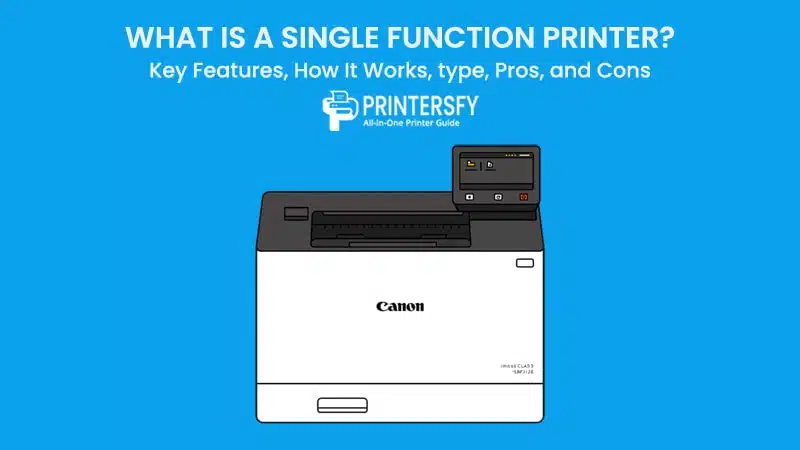
A Single Function Printer is a printing device designed solely for producing printed documents. It does not include scanning, copying, or faxing capabilities, making it a straightforward tool for users who only need dependable printing. This type of printer is often considered a single-purpose printer or a basic printer machine, delivering consistent output without the complexity of multifunction hardware.
Unlike multifunction printers, which bundle several tools into one unit, a single-function model stays focused on its core job. It prints documents quickly, uses fewer mechanical parts, and typically requires less maintenance. Because it does not carry extra functions, it is generally easier to operate and more reliable over time.
The design philosophy behind it is simple: do one task well, rather than several tasks with varying levels of performance. This clarity of purpose makes it appealing for many users who prefer a cleaner and more practical workflow.
Across different settings, the Single Function Printer serves a wide variety of needs. In homes, it supports everyday prints such as assignments and forms. In offices, it becomes a consistent workhorse for invoices, reports, and internal documents.
Educational institutions, small businesses, and remote workers also benefit from its durability and focus. Many users still choose this type of device because reliability matters more than extra features, and they want a machine that delivers stable results day after day. Its long-term performance, ease of maintenance, and predictable operation make it a strong option for those who only need dependable printing.
How a Single Function Printer Works

A Single Function Printer operates using a series of coordinated mechanical and digital processes that transform electronic data into printed output. While the exact components vary depending on whether the device is inkjet or laser-based, the underlying workflow remains similar: receive data, process it, and transfer it to paper with precision. Understanding this process helps users appreciate the efficiency of a device built solely for printing tasks.
Core Components of a Single Function Printer
At the heart of the device is the print engine, which handles the actual formation of text and graphics. Inkjet models use a print head containing microscopic nozzles that spray ink onto the page in controlled patterns. Laser models rely on a drum unit that uses static electricity to attract toner and transfer it to paper. Supporting these components is the controller board, which interprets print commands and manages timing.
Another key part of the system is the ink or toner supply. Inkjets store liquid ink in cartridges, while lasers use powdered toner. The paper handling system feeds sheets smoothly through the machine, ensuring they align correctly during printing. Together, these elements work in synchronization to deliver reliable results. A Single Function Printer benefits from this focused design because every component is optimized strictly for printing, reducing mechanical stress and potential failures.
Step-by-Step Printing Process
The workflow begins when the device receives data from a computer or mobile device. The controller interprets the information and converts it into a printable format. It then sends instructions to the print engine, determining where ink or toner should be placed on the page.
In an inkjet model, the print head moves across the paper, releasing droplets with extreme precision. In laser models, the drum unit is charged to attract toner particles that adhere only to the intended areas. According to a 2024 technical review published on Yahoo’s tech channel, laser printers deliver crisp text and consistent speed thanks to their efficient drum-and-toner mechanism. This efficiency is one of the reasons laser-based Single Function Printers are preferred in many business environments.
Finally, the paper passes through a heating or drying stage, depending on the technology used, and exits as a finished document. A Single Function Printer completes this entire sequence with fewer interruptions because its internal processes are dedicated solely to printing. This specialization contributes to higher reliability, faster operation, and long-term stability.
Single Function Printer Workflow Explained: From Data Input to Final Print Output
| Stage | What Happens | Inkjet Behavior | Laser Behavior |
|---|---|---|---|
| 1. Data Input | The printer receives a file from a computer or mobile device. | Data is translated into print instructions for nozzle placement. | Data is prepared to define laser paths on the drum. |
| 2. Rendering & Processing | The controller board converts the data into a printable image or page layout. | The printer maps color and droplet positions. | The printer maps toner placement and page layout. |
| 3. Print Engine Activation | The hardware begins executing the print job. | Nozzles heat or vibrate to push ink toward the paper. | A laser beam draws the image onto the drum using electrostatic charge. |
| 4. Ink/Toner Transfer | Material is applied to the page. | Droplets of ink are deposited in precise patterns. | Charged toner particles attach only to the laser-defined areas. |
| 5. Paper Movement | Paper feeds steadily through the machine to maintain alignment. | Paper moves under the print head in passes. | Paper passes the drum while toner transfers onto it. |
| 6. Fixing / Drying | The print is set permanently. | Ink dries naturally or through slight heat. | A fuser unit melts toner permanently into the fibers. |
| 7. Final Output | The page exits the printer as a completed document. | Produces a wet-to-dry transition depending on ink volume. | Produces a crisp, smudge-resistant print immediately. |
Key Features of a Single Function Printer
A Single Function Printer focuses entirely on printing, and that alone gives it several practical strengths. Because the device isn’t loaded with extra components, it can deliver steady performance without slowing down.
Many users appreciate this kind of straightforward machine, especially when they rely on it for routine work. Its ability to stay consistent from day to day makes it a dependable tool in busy homes, classrooms, and offices.
Print Speed & Performance
Speed is one of the first things people notice when using a Single Function Printer. Many models can handle everyday tasks quickly because they don’t need to manage scanning or copying functions in the background.
This often results in smoother operation and faster page output. Whether used for school assignments or office paperwork, the machine offers a reliable pace that keeps up with the user’s needs. Its fast printing capability is one of the biggest reasons people still prefer this type of device.
Print Resolution & Quality
Print resolution plays a major role in producing clean and readable documents. Most printers measure sharpness in dots per inch, which reflects how well they form text and simple graphics. Even basic models manage to deliver crisp output suitable for reports, letters, and other written materials.
Users who print regularly appreciate how consistent the results are. They don’t need to fine-tune settings with every job because the printer already performs well out of the box.
Connectivity Options
Connectivity has become more important as people rely on different devices for work and study. Many printers include USB for direct use, while others support Wi-Fi or Ethernet for shared access.
Wireless printing helps homes and offices run more smoothly because anyone on the network can send documents to the machine. The variety of options makes the printer easy to fit into different setups. It also improves convenience without complicating the device itself.
Duty Cycle & Reliability
Durability is another reason users trust this type of machine. The duty cycle helps indicate how much work the printer can handle in a month, and many models are designed for steady workloads. Their focused design keeps wear to a minimum, and fewer moving parts reduce long-term problems.
A reliable printer helps keep operating costs lower since there are fewer surprise repairs. People who print often find comfort in knowing the device is built to last.
Types of Single Function Printers

Single Function Printers come in several variations, each suitable for different kinds of work. Some people prefer strong color output, while others only need crisp text.
By knowing how each type handles its printing tasks, users can choose a machine that fits their daily routine. These categories highlight the differences and strengths found in the most commonly used models today.
Inkjet Printers
Inkjet printers use liquid ink delivered through tiny nozzles to form letters and images. This method helps produce vibrant colors, which is why these printers are popular among home users. They can handle photos, graphics, and mixed-content documents with ease.
A Single Function Printer built on inkjet technology remains a flexible choice for people who print a bit of everything. Its ink-based printing system works well for projects that benefit from rich color.
Many households choose inkjet models because they support different paper types, including glossy sheets for photos. They also tend to be compact, which makes them easy to place in smaller spaces. Their wide range of uses is what keeps them relevant for everyday printing.
Laser Printers
Laser printers operate using a toner system that transfers powder to the page through a laser-guided drum. This process helps produce sharp text and steady output speeds. A laser-based Single Function Printer is a strong fit for busy offices, where clear documents and fast turnaround times are essential. Its business-oriented printing style makes it a common choice for people who handle large amounts of paperwork.
These printers also stand out because toner cartridges last longer than ink in many cases. Fewer replacements mean fewer interruptions, which helps work move smoothly. Offices and professional settings often rely on them because they balance speed, clarity, and long-term value.
Mono Laser Printers
Mono laser printers are designed solely for black-and-white printing. They excel at producing text-heavy materials like reports, invoices, and classroom handouts. Since they don’t manage color, they can process pages quickly and use toner more efficiently. A Single Function Printer in this category offers a focused approach that works well in environments where color isn’t necessary.
Users who print large volumes often choose mono models because they help keep costs stable. Their consistent performance and simple mechanics make them easy to depend on. This has kept them popular in offices and schools that need steady output every day.
Color Laser Printers
Color laser printers expand on the capabilities of mono models by adding multiple toner colors. This allows them to create charts, presentations, and documents that require color accuracy. Their CMYK printing system keeps tones consistent, which helps maintain a professional look. Many businesses rely on them when preparing materials meant for clients or meetings.
While they require more maintenance than mono units, the range of color output makes them versatile. Users who prepare visual documents find them especially valuable. Their ability to deliver clean, polished prints keeps them relevant for tasks that go beyond simple text.
Key Differences Between Inkjet, Laser, Mono Laser, and Color Laser Single Function Printers
| Printer Type | Strengths | Limitations | Best For |
|---|---|---|---|
| Inkjet Printer | Produces vibrant colors; handles photos and graphics well; supports many paper types; compact size | Ink can run out quickly; slower than laser models; prints may smudge if not dried | Home users, photo printing, mixed-content documents |
| Laser Printer | Fast printing; sharp text; long-lasting toner; efficient for high-volume tasks | Higher upfront cost; color performance weaker than inkjet | Offices, business documents, large workloads |
| Mono Laser Printer | Very efficient for black-and-white text; low cost per page; durable and reliable | No color printing; limited to simple document work | Schools, offices with heavy text printing, invoices & reports |
| Color Laser Printer | Accurate color output; great for charts, reports, and client materials; professional finish | Higher maintenance; toner sets cost more; bulkier designs | Business presentations, marketing materials, color-heavy workflows |
Which Printer Type Fits Your Needs?
A Single Function Printer is a strong option for users who value reliability and want a device that stays focused on printing. It suits students, home offices, and small teams that prefer consistent performance and fewer maintenance tasks. Its simpler design helps keep costs stable, making it practical for regular printing needs.
A multifunction unit works better for users who want everything in one device. It saves space by combining tools and supports work that involves scanning or copying. People who need versatility may find the extra cost worth it. The best choice depends on whether simplicity or flexibility fits the user’s daily routine.
Pros and Cons of a Single Function Printer

A Single Function Printer delivers several clear advantages, especially for users who want predictable performance and a device that stays focused on printing. Its simple structure helps keep daily work steady, and many people appreciate how reliably it handles routine tasks. Because the machine is not built around extra features, it often feels more stable in environments where printing is the main priority. At the same time, this narrow focus shapes how well the device fits different types of workflows.
Advantages
One of the strongest benefits is speed. Without scanning or copying functions in the background, the device can process print jobs quickly and consistently. Users also value the durability that comes from having fewer mechanical parts, which reduces the chances of unexpected issues. A Single Function Printer usually costs less upfront as well, making it an appealing choice for students, small offices, and anyone who wants reliable output without a large investment.
Another strength is ease of maintenance. Because the machine focuses on a single task, upkeep stays simple and predictable. Users who print frequently often find that this kind of device runs smoothly for long periods, with fewer interruptions or service needs.
Here are some advantages that many users consider important:
- Faster printing: The printer concentrates solely on producing pages, allowing it to work efficiently during busy days.
- Lower initial cost: Fewer components help keep the price accessible for most households and small teams.
- Simpler upkeep: Routine maintenance is easier because there are no scanning or copying mechanisms to manage.
- Greater durability: A cleaner internal layout supports longer overall lifespan.
Disadvantages
The biggest limitation is its narrow scope. Without scanning or copying functions, users must rely on separate devices when they need those tasks. This can slow down workflows that depend on document handling. Another challenge appears in workspace planning. Although single-function models are compact, owning extra equipment for scanning or copying can take more room compared with having one combined machine.
Even so, many people still choose this type of printer because its strengths align with their priorities. Others may find the lack of versatility restrictive, especially when daily work extends beyond simple printing.
Common drawbacks include:
- No scanning or copying: Additional tools are required for these tasks.
- Limited versatility: The device handles only printing, which may not suit more complex workflows.
- Needs supporting equipment: Workspaces may require extra tools for document processing.
- Not ideal for diverse tasks: Users who need all-in-one document handling may prefer a multifunction model.
Single Function Printer vs Non-Impact Printers: Key Differences and Use Cases
Single Function Printers fall under the broader category of non-impact printers, but the two terms describe different things. Non-impact printers refer to the technology used—typically inkjet or laser mechanisms that print without striking the paper. A Single Function Printer, however, refers to what the device is designed to do. It focuses solely on printing, offering a more streamlined role compared with machines that combine multiple features.
SFP vs Home Printer
Home printers often include scanning or wireless features to support everyday tasks, while a Single Function Printer focuses only on printing. This gives it more consistent performance for users who prioritize speed and simplicity over convenience features.
SFP vs Office Printer
Office printers are built for heavier workloads and broader functions, including scanning and network management. A single-function model suits smaller teams or workspaces that only need reliable print output without advanced office tools.
SFP vs Business Inkjet Printer
Business inkjet printers emphasize color accuracy and versatility for marketing materials or graphics. A Single Function Printer is better for straightforward document printing where consistency matters more than full-color performance.
SFP vs Multifunction Printer (MFP)
MFPs combine scanning, copying, and sometimes faxing in one device, offering convenience but adding complexity. A single-function model stays simpler, runs with fewer maintenance concerns, and provides more predictable printing.
SFP vs Portable Printer
Portable printers are built for mobility and compact use, often sacrificing speed and durability. A Single Function Printer is more suitable for permanent setups where reliability and long-term stability are priorities.
SFP vs Industrial & Specialty Printers
Industrial printers handle specialized tasks like labels, barcodes, or large-format work. A single-function consumer or office model cannot replace them but remains ideal for standard document workflows.
When Should You Choose a Single Function Printer?
Choosing the right printer depends on how you work and what you expect from your device. A Single Function Printer is often the better option for users who want a machine that stays focused on printing alone. Its simple structure and predictable performance make it a strong match for people who prefer reliability over flexibility. The sections below outline situations where a dedicated printer fits naturally into daily routines.
High-Volume or Consistent Printing Needs
A Single Function Printer excels in environments where printing happens throughout the day. Offices that produce long reports, financial documents, or formal correspondence often rely on machines that can handle steady workloads without slowing down. Because the device isn’t juggling scanning or copying features, print jobs move through smoothly. Its focused design also reduces strain on components, which helps maintain consistent speeds during busy periods.
Students can also benefit from this type of device. Assignments, reading materials, and project drafts often require quick, uncomplicated printing. Having a machine that performs the same way every time adds convenience and saves effort, especially during tight deadlines. The straightforward interface makes the printer easy to use, even for people who don’t deal with technical settings often.
Workflows That Prioritize Stability Over Versatility
Some workplaces function better with tools that stay consistent rather than offering multiple features. In these environments, a single-function model helps reduce interruptions because there are fewer moving parts that might require attention. Teams that share one printer can depend on steadier output, fewer jams, and a simpler maintenance routine.
Users who prefer predictable long-term performance often find this type of printer more suitable than an all-in-one option. Instead of managing several functions within a single device, they get a machine that does one job well and remains reliable over time. For people who print regularly and value stability above all else, a single-function printer is often the most practical choice.
Conclusion
Single Function Printers remain relevant because they provide dependable output, straightforward operation, and long-term durability. Throughout this article, we explored the key features, major printer types, and the distinctions between single-function and multifunction devices. Each type offers unique strengths, but the dedicated nature of a single-function model gives it a clear place in homes, classrooms, and offices that value consistency.
For users who prioritize reliability, speed, and predictable maintenance, a Single Function Printer is often the more practical choice. It suits people who print regularly and prefer a device that performs its single task well. By focusing on core needs instead of extra features, this type of printer continues to serve as a simple but effective tool for everyday document work.
FAQs About Single Function Printer
What is a Single Function Printer used for?
A Single Function Printer is used solely for printing documents. It’s ideal for users who want a reliable device focused on one task without added features.
Is a Single Function Printer better than a multifunction model?
It depends on your needs. A single-function model offers better reliability, faster printing, and easier maintenance, while multifunction units provide more versatility.
Who should choose a Single Function Printer?
Students, home offices, and businesses with steady printing needs benefit most from a printer that delivers consistent performance and low maintenance.
Are Single Function Printers cheaper to operate?
Yes. Because they have fewer components and no scanning or copying systems, operating and maintenance costs tend to be lower over the long term.
Do Single Function Printers last longer?
Generally, yes. Their simpler internal design reduces mechanical strain, which helps extend lifespan compared with multifunction printers.