Before sleek inkjet and laser models took over homes and offices, the dot matrix printer was the unsung hero of early computer printing. Its rhythmic buzz and the steady clatter of pins striking paper were once a familiar soundtrack in banks, factories, and government offices. For many, it was the first machine that transformed digital information into something tangible you could hold in your hands.
At a glance, dot matrix printers may look outdated compared to today’s high-resolution devices, yet their design was remarkably practical. They were built to last, capable of handling continuous sheets of paper and even producing multiple copies in a single print thanks to carbon forms. These traits made them indispensable in environments where reliability mattered more than glossy graphics.
Exploring the dot matrix printer isn’t just about looking back at old technology—it’s about understanding how a machine with such simple mechanics continues to solve modern challenges in specific industries. From its origins and unique components to its role in niche business operations, the dot matrix printer tells a story of durability, adaptability, and a legacy that still echoes today.
What Is a Dot Matrix Printer?
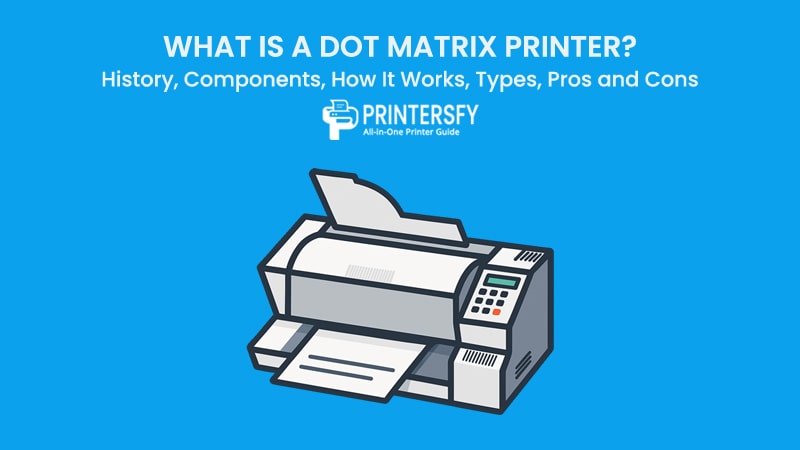
A dot matrix printer is a type of impact printer that produces characters and images by striking pins against an ink ribbon to form tiny dots on the paper. Each dot is part of a grid, and when combined, these dots create readable letters, numbers, or even simple graphics.
Unlike inkjet or laser printers that rely on liquid ink or toner, the dot matrix printer uses mechanical impact. This makes it particularly valuable for printing on continuous forms and multi-part carbon copies—something that modern printers cannot do efficiently. For example, banks have used dot matrix printers to update passbooks, while logistics companies still depend on them for producing receipts and shipment records.
What makes this printer stand out is not its speed or resolution, but its durability and versatility. It can handle harsh environments, print for long hours without failure, and produce duplicate copies in a single pass. These features explain why dot matrix printers, despite their age, remain relevant in industries that prioritize reliability over presentation quality.
History of Dot Matrix Printers
The story of the dot matrix printer reflects the broader history of computer printing. From experimental prototypes in the 1960s to its golden era in the 1980s, and finally its decline in the 1990s, this technology left an enduring mark on the way businesses and individuals handled printed information.
The Precursors (1960s)
The earliest concepts of dot matrix printing were pioneered by Fritz Karl Preikschat, a German engineer who patented designs for dot matrix teletypewriters in the late 1950s and early 1960s. These machines laid the groundwork for what would become a commercial revolution in printing.
In 1968, Japanese company OKI released the Wiredot printer, widely regarded as the first commercially available dot matrix printer. Though limited in performance compared to later models, it introduced the concept of printing with a grid of impact dots, a principle that still defines the category today.
The Golden Age (1970s–1980s)
The 1970s marked the breakthrough decade. In 1970, Digital Equipment Corporation (DEC) introduced the LA30, one of the first widely accepted dot matrix printers, with speeds of 30 characters per second. Unlike line printers, which could only print fixed character sets, dot matrix printers allowed for flexible character design and simple graphics by arranging dots in different patterns.
By the 1980s, dot matrix printers dominated both the home and business markets. Models like the Epson MX-80 and Apple ImageWriter became household names. Their cost-effectiveness, ability to handle carbon copies, and compatibility with personal computers made them the go-to choice for users worldwide.
Businesses valued them for multi-part forms like invoices, receipts, and payroll slips, while home users appreciated the balance between affordability and versatility. This era is often referred to as the golden age of dot matrix printing.
The Decline and Legacy (1990s–Present)
By the early 1990s, dot matrix printers began to lose ground. Inkjet and laser printers offered faster speeds, quieter operation, and vastly superior print quality. As businesses shifted to high-resolution documents and color printing, dot matrix technology was pushed into niche markets.
Yet, the legacy remains. Even today, dot matrix printers are used in warehouses, banks, and government offices where reliability, ruggedness, and multi-copy printing matter more than aesthetics. Their ability to function in dusty or industrial environments still makes them irreplaceable in certain sectors.
In many ways, dot matrix printers can be seen as the foundation of modern printing technology. They bridged the gap between mechanical typewriters and today’s advanced printers, proving that impact-based systems could be adapted for digital communication.
Characteristics of a Dot Matrix Printer

Every printer has a unique set of strengths and weaknesses, and the dot matrix printer is no exception. To understand why this technology survived for decades, it’s important to break down its core characteristics—covering the way it prints, its durability, cost-effectiveness, and also its limitations.
Printing Mechanism
At the heart of every dot matrix printer lies the impact printing process. Small pins mounted on the print head strike an inked ribbon, pressing dots onto the paper in precise patterns. These dots form the basis of letters, numbers, and even basic graphics.
- Impact Printing: Physical pins strike the ribbon to transfer ink onto the page.
- Monochrome with Limited Color Options: Most units print only in black, though some advanced models supported multi-color ribbons.
This mechanical approach makes dot matrix printing inherently rugged and functional, even if it cannot match the finesse of inkjet or laser printers.
Durability and Reliability
One of the standout features of dot matrix printers is their robust design. Unlike modern printers that can be sensitive to dust, humidity, or power fluctuations, dot matrix units are built to last.
- Robust Design: Designed for long-term operation in industrial and office environments.
- High-Volume Printing: Well-suited for continuous jobs and heavy-duty workloads.
This durability explains why many banks, warehouses, and government offices still keep them running. They can operate in less-than-ideal conditions without frequent breakdowns.
Cost-Effectiveness
For businesses that print thousands of documents per month, cost is often the deciding factor. Dot matrix printers have long been considered one of the most economical solutions.
- Low-Cost Ribbons: Ribbons are cheap, last longer than cartridges, and are easy to replace.
- Low Cost per Page: Printing costs are far lower compared to inkjet or laser printers.
In industries where presentation quality is less important than cost and efficiency, dot matrix still holds an advantage.
Special Features
Beyond durability and cost, dot matrix printers have a few unique features that other technologies cannot replicate.
- Multi-Part Form Printing: Capable of producing carbon copies or duplicate forms in a single pass.
- Continuous Form Paper: Works with tractor-fed, fan-fold paper—ideal for bulk document printing.
This makes them particularly useful in finance, logistics, and manufacturing where multi-copy and continuous printing are common requirements.
Limitations
Despite their strengths, dot matrix printers also have significant drawbacks.
- Noisy Operation: The mechanical impact of pins striking the ribbon creates noticeable noise.
- Lower Print Quality: Resolutions usually range between 72–240 DPI, far below inkjet or laser output.
As a result, they are not suitable for tasks that require polished, high-resolution documents.
Main Components of a Dot Matrix Printer
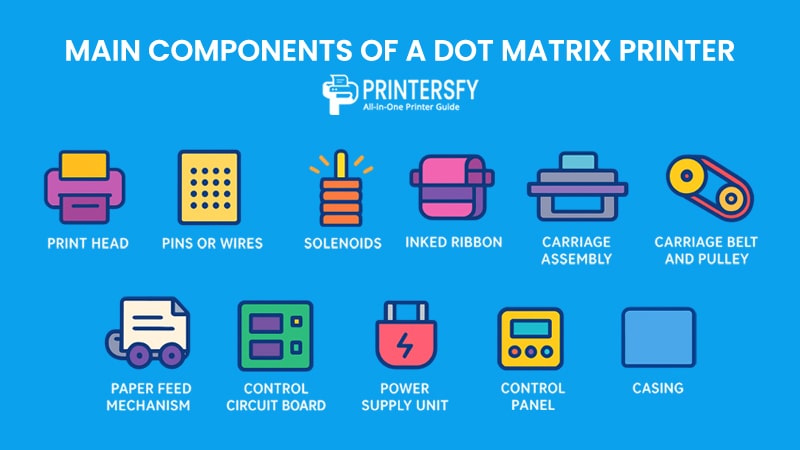
A dot matrix printer may look simple from the outside, but inside it contains multiple interconnected systems that work in perfect synchronization. These components of printers can be grouped into three main categories: core printing parts, movement and control systems, and supporting hardware.
Core Components
The core parts are directly responsible for the printing process—the ones that physically make characters and graphics appear on paper.
Print Head
The print head is the most important element of the dot matrix printer. It houses multiple pins arranged in a vertical matrix, typically 9 or 24, that determine the resolution and sharpness of the output. A 9-pin head is sufficient for text-based documents, while 24-pin heads can produce more detailed graphics and complex forms.
Pins or Wires
Pins are tiny, spring-loaded needles that strike the ink ribbon against the paper. Each pin activation creates a single dot, and when arranged in precise patterns, they form readable characters or images. Over time, these pins may bend or wear out, affecting print quality.
Solenoids
Solenoids act as the “muscles” of the printer. These small electromagnets push the pins forward at high speed whenever a command is sent. Their accuracy and durability are critical to maintaining consistent printing performance.
Inked Ribbon
The ribbon is a fabric strip soaked with ink. As pins strike it repeatedly, ink is transferred to the paper. Unlike cartridges in inkjet printers, ribbons are cost-effective, long-lasting, and easy to replace.
Movement and Control Components
These elements ensure the smooth operation of the print head and paper handling.
Carriage Assembly
The carriage assembly holds the print head and moves it horizontally across the paper. Its smooth movement is essential for forming consistent characters across each line.
Carriage Belt and Pulley
The belt and pulley system drives the carriage assembly, ensuring accurate left-to-right and right-to-left movements. Any misalignment here can cause blurred text or uneven printing.
Paper Feed Mechanism
Dot matrix printers often rely on tractor feed systems with perforated holes along the sides of continuous paper. This mechanism guarantees precise alignment, which is especially useful for multi-part carbon forms or large batch jobs.
Control Circuit Board
Often called the “brain” of the printer, this circuit board processes commands from the computer, coordinates solenoid activation, and synchronizes head movement with paper feeding.
Supporting Components
Supporting components ensure stability, usability, and protection for the printer as a whole.
Power Supply Unit
Converts AC power from a wall socket into stable DC power required by the printer’s motors and electronic circuits. Without a reliable power supply, print quality and hardware lifespan would suffer.
Control Panel
The external interface includes buttons (pause, resume, reset) and LED indicators that provide real-time status updates, such as power, error, or paper feed alerts.
Casing
The outer shell protects the internal mechanisms from dust, impact, and other external factors. In industrial settings, a sturdy casing also reduces vibrations and noise levels.
Overview of Dot Matrix Printer Components
| Category | Component | Function | Importance |
|---|---|---|---|
| Core Components | Print Head | Houses pins to form characters and graphics | Determines print clarity and resolution |
| Pins/Wires | Strike ribbon to transfer ink | Directly responsible for dot formation | |
| Solenoids | Trigger pins via electromagnets | Provide precision and speed | |
| Inked Ribbon | Transfers ink from ribbon to paper | Provides visibility of printed text/graphics | |
| Movement & Control | Carriage Assembly | Moves print head horizontally | Ensures line-by-line printing |
| Carriage Belt & Pulley | Drives carriage assembly movement | Maintains alignment and consistency | |
| Paper Feed Mechanism | Advances paper via tractor holes or rollers | Prevents misfeeds and paper jams | |
| Control Circuit Board | Processes input and synchronizes actions | Central controller of all operations | |
| Supporting Components | Power Supply Unit | Converts AC to DC power | Keeps hardware running safely |
| Control Panel | Provides buttons and status indicators | Enhances user interaction and control | |
| Casing | Protects internal parts from dust and damage | Extends printer’s life span |
How Does a Dot Matrix Printer Work?

The dot matrix printer uses an impact-based mechanism, meaning it physically strikes ink onto paper. Unlike modern inkjet or laser models, its operation is mechanical at the core, making it both durable and reliable for specific tasks. Let’s break down the process step by step.
Command Input
The process begins when the computer sends data to the printer. This information is transmitted as digital codes, usually in ASCII or printer-specific language, which the control circuit board translates into commands for the print head.
Pin Activation
Solenoid Control
Each pin in the print head is linked to a solenoid. When activated, the solenoid pushes the pin forward at high speed.
Impact on Ribbon
The pin strikes the inked ribbon, transferring ink in the form of a tiny dot onto the paper’s surface.
Ink Transfer
This impact-based ink transfer is repeated thousands of times per second. The collection of these dots forms letters, numbers, and even basic graphics. Since it is impact printing, the force of the pins can press through multiple sheets, enabling carbon copy printing.
Character Formation
Characters are formed by a carefully timed sequence of pin activations. For example, the letter “A” is not a single symbol but a matrix of dozens of dots aligned vertically and horizontally to represent its shape.
Head and Paper Movement
Print Head Motion
The print head moves horizontally across the page, line by line. Depending on the printer type, this can be unidirectional (one way) or bidirectional (both directions).
Paper Feed Motion
At the same time, the paper feed mechanism advances the sheet (or continuous form) vertically. This ensures proper line spacing and alignment, especially important in multi-copy forms.
Multi-Part Printing
One of the most valuable features of dot matrix printers is their ability to print on multiple sheets simultaneously. The force of the pins transfers ink through carbon paper or NCR (no-carbon-required) forms, producing duplicate or triplicate copies in a single run.
Step-by-Step Workflow of a Dot Matrix Printer
| Step | Description | Purpose |
|---|---|---|
| 1. Command Input | Computer sends data to control circuit board | Translates digital signals into printing actions |
| 2. Pin Activation | Solenoids push pins to strike inked ribbon | Creates dots that will form characters/graphics |
| 3. Ink Transfer | Impact transfers ink from ribbon to paper | Ensures visible output |
| 4. Character Formation | Dots are aligned into readable letters, numbers, or images | Produces human-readable output |
| 5. Head Movement | Print head moves horizontally across page | Prints line by line |
| 6. Paper Movement | Tractor feed or rollers advance paper vertically | Maintains spacing and prevents misalignment |
| 7. Multi-Part Printing | Impact penetrates through multiple sheets | Enables duplicate or triplicate printing |
Types of Dot Matrix Printers

Not all dot matrix printers are created equal. Over the years, manufacturers developed several variations to meet different needs—ranging from simple receipt printing to more complex form processing. These variations are generally classified based on pin count, printing direction, and color capabilities.
By Pin Count
9-Pin Printers
These models use a print head with a single row of nine pins. They are designed for basic text documents, invoices, and forms. While they offer lower resolution (typically 240 DPI), their speed and cost-effectiveness make them ideal for high-volume environments.
24-Pin Printers
These printers use a more advanced print head with 24 pins, arranged in two staggered rows. The additional pins allow for finer dot placement, resulting in sharper text and the ability to handle simple graphics. They are widely used in banks, government offices, and logistics companies where both clarity and durability matter.
By Printing Direction
Unidirectional Printers
The print head moves only in one direction (usually left to right) before returning to the starting point. This method provides slightly better alignment and print accuracy, but it is slower compared to bidirectional models.
Bidirectional Printers
In these models, the print head can move in both directions (left to right and right to left), which doubles the printing speed. While this improves efficiency, alignment issues may sometimes occur if calibration is not precise.
By Color Capabilities
Monochrome Printers
The majority of dot matrix printers fall into this category, using a single-color ribbon (commonly black). They are sufficient for most business tasks like receipts, reports, and forms.
Color Printers
Some advanced models use a ribbon with multiple ink bands (typically black, red, blue, and green). By overlapping these colors, they can produce a wider range of outputs. However, color dot matrix printers are slower and less common because industries that require color typically prefer inkjet or laser printers.
Categorized of Dot Matrix Printers
| Category | Sub-Type | Key Features | Best Use Cases |
|---|---|---|---|
| By Pin Count | 9-Pin | Lower resolution, faster, cost-efficient | Invoices, receipts, high-volume text |
| 24-Pin | Higher resolution, sharper output, handles graphics | Banking, government, logistics | |
| By Direction | Unidirectional | One-way movement, better accuracy, slower | Formal documents requiring alignment |
| Bidirectional | Two-way movement, faster speed | Large batch printing, warehouse operations | |
| By Color | Monochrome | Black or single-color ribbon | General business printing |
| Color | Multi-color ribbon, limited graphics support | Reports, statements with visual highlights |
Advantages of a Dot Matrix Printer
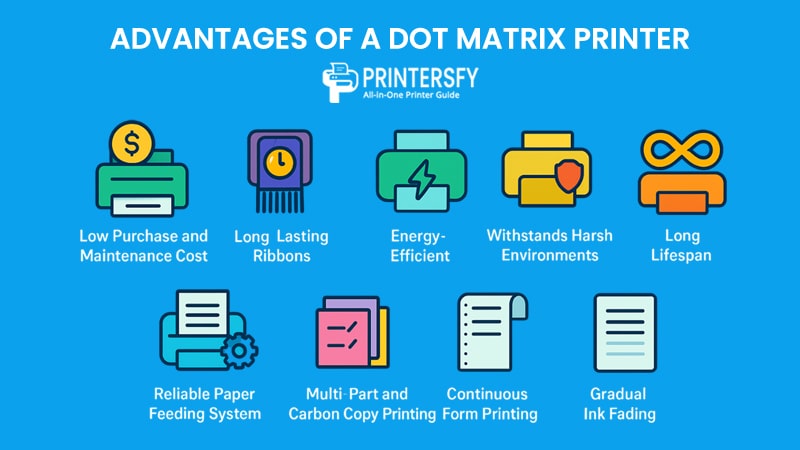
While modern printing technologies dominate the market, dot matrix printers still hold unique advantages that make them valuable in specific industries. Their durability, cost-efficiency, and special functions explain why many businesses continue to rely on them.
Cost and Efficiency
Low Purchase and Maintenance Cost
Dot matrix printers are relatively inexpensive to buy and maintain compared to inkjet or laser printers. Spare parts like ribbons and pins are widely available and affordable.
Long-Lasting Ribbons
The ink ribbons last for thousands of pages, making them more economical than frequently replaced inkjet cartridges or toner.
Energy-Efficient
Despite their mechanical operation, dot matrix printers consume less power than laser printers, especially during continuous printing.
Reliability
Withstands Harsh Environments
Thanks to their rugged design, these printers can function reliably even in dusty warehouses or hot industrial environments where inkjets or lasers would fail.
Long Lifespan
A well-maintained dot matrix printer can last for decades, making it a solid investment for businesses with heavy workloads.
Reliable Paper Feeding System
The tractor-feed mechanism ensures accurate alignment, even for multi-part forms and continuous printing, reducing the risk of misfeeds.
Functional Benefits
Multi-Part and Carbon Copy Printing
Unlike modern printers, dot matrix models can produce multiple copies in one go by striking through carbon paper or NCR forms.
Continuous Form Printing
They are optimized for fan-fold, perforated paper, which is ideal for bulk printing tasks like invoices, receipts, and logs.
Gradual Ink Fading
Instead of stopping suddenly when ink runs out, the ribbon fades gradually, giving users a clear warning before replacement is required.
Pros of Dot Matrix Printers
| Advantage Category | Benefit Description | Why It Matters |
|---|---|---|
| Cost & Efficiency | Affordable purchase and maintenance, long-lasting ribbons | Keeps operational costs low in the long term |
| Reliability | Rugged design, long lifespan, accurate tractor feed | Works well in harsh environments, fewer errors |
| Functionality | Multi-copy printing, continuous form support, gradual ink fade | Ideal for business operations with bulk printing |
Disadvantages of a Dot Matrix Printer
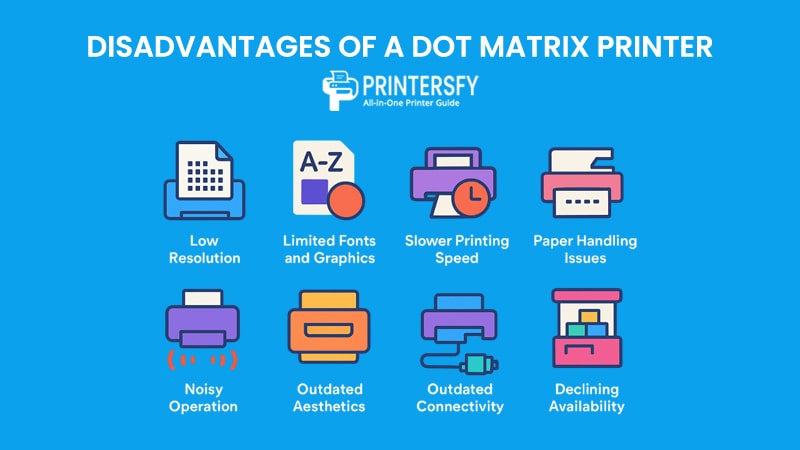
Although dot matrix printers excel in durability and cost efficiency, they also come with significant drawbacks. These limitations explain why they are rarely found in homes or modern offices today.
Print Quality
Low Resolution
Most dot matrix printers operate between 72–240 DPI. This resolution is acceptable for text but inadequate for sharp images or professional-looking documents.
Limited Fonts and Graphics
Due to their mechanical nature, these printers cannot handle advanced font styles or detailed graphics, making them unsuitable for creative or design-heavy tasks.
Speed and Performance
Slower Printing Speed
Even high-end dot matrix printers struggle to compete with modern inkjet or laser printers. Their mechanical print head and impact-based method slow them down, especially for large print jobs.
Paper Handling Issues
While tractor feeds are reliable, manual feeding can cause paper jams or misalignments, leading to wasted forms and downtime.
Noise and User Experience
Noisy Operation
Dot matrix printers are notorious for their loud clattering sounds during operation. This makes them disruptive in quiet office spaces.
Outdated Aesthetics
Compared to sleek modern printers, dot matrix machines appear bulky and old-fashioned, which can be off-putting in customer-facing environments.
Limited Compatibility
Outdated Connectivity
Many older models rely on parallel ports or serial connections, which are incompatible with today’s USB or wireless networks without adapters.
Declining Availability
As technology advances, finding spare parts or skilled technicians can become increasingly difficult.
Drawbacks of Dot Matrix Printers
| Disadvantage Category | Description | Impact on Users |
|---|---|---|
| Print Quality | Low resolution (72–240 DPI), limited fonts/graphics | Unsuitable for professional documents |
| Speed | Slower than inkjet/laser, occasional paper jams | Inefficient for time-sensitive printing |
| Noise & Design | Loud operation, bulky, outdated aesthetics | Disruptive in offices, less user-friendly |
| Compatibility | Parallel/serial ports, fewer spare parts | Harder to integrate with modern systems |
Common Applications of a Dot Matrix Printer
Even though dot matrix printers are considered “old” technology, their unique ability to handle multi-part forms, continuous paper, and rugged environments ensures they remain useful in several industries. Let’s explore where they still make sense today.
Retail
Retail stores, especially in developing markets, continue to use dot matrix printers for printing receipts, invoices, and transaction slips. Their low operating cost and ability to print duplicate copies make them perfect for point-of-sale systems.
Some models integrate directly with older cash register systems, providing a reliable backup where modern printers may not be compatible.
Logistics and Warehousing
In logistics, dot matrix printers are still valued for printing waybills, shipping slips, and picking lists. Continuous form paper makes it easy to generate long sequences of documents without manual reloading.
They also withstand dust, heat, and vibration—common in warehouses—better than inkjet or laser machines.
Banking and Finance
Banks rely on specialized dot matrix printers to update customer passbooks, a feature not easily replicated by other printer types.
Loan documents, receipts, and other financial forms often need duplicate copies, which dot matrix handles effortlessly.
Industrial and Manufacturing
Factories still use dot matrix printers for printing daily production logs, equipment usage reports, and test results, where print quality is less important than reliability.
Fan-fold paper allows for long, uninterrupted printing sessions, perfect for industrial record-keeping.
Government and Administration
Government offices use dot matrix printers for bulk printing of financial records, tax forms, and budget reports due to their cost efficiency.
Some public institutions keep dot matrix printers as redundant backup systems for critical document production.
Buying Guide & Maintenance Tips for Dot Matrix Printers
For businesses or individuals considering a dot matrix printer, making the right purchase and keeping it in good condition can save costs and extend its lifespan. Here’s a practical guide that covers both buying considerations and essential maintenance tips.
How to Choose the Right Dot Matrix Printer
Pin Count and Print Quality
Dot matrix printers typically come in 9-pin and 24-pin variations.
- 9-pin models are ideal for simple text, invoices, and receipts where speed and cost are more important than print quality.
- 24-pin models produce sharper characters and better graphics, making them suitable for forms, passbooks, or documents that need greater clarity.
Print Speed and Volume
Measured in characters per second (CPS), speed determines how fast a printer can handle bulk jobs. For heavy-duty environments like warehouses or government offices, a higher CPS model ensures efficiency in large-volume printing.
Compatibility and Connectivity
Before buying, check if the printer supports modern interfaces (USB, Ethernet) or only legacy ports like parallel or serial connections. Some models are designed to integrate with banking systems, ERP platforms, or POS terminals, so compatibility is crucial.
Use Case Fit
Always align your purchase with your actual needs:
- Retail: Quick receipts and invoices.
- Banking: Passbooks and multi-part forms.
- Logistics/Industry: Continuous form printing and rugged conditions.
Maintenance Tips for Long-Lasting Performance
Ribbon Replacement
Replace ribbons once print quality fades. Using genuine or high-quality compatible ribbons prevents uneven print density and extends the lifespan of the print head.
Regular Cleaning
Dust and debris can damage moving parts. Clean the print head, platen roller, and internal components regularly using a soft brush or compressed air. Avoid using liquid cleaners unless specified by the manufacturer.
Avoiding Paper Jams
Most paper jams occur due to misaligned tractor feeds or incorrect paper thickness. Always ensure the correct fan-fold paper is loaded properly, and avoid forcing paper into the feed.
Scheduled Servicing
For businesses with high-volume printing, scheduling routine servicing helps detect issues like worn-out pins, loose belts, or weakened solenoids before they cause breakdowns.
Dot Matrix Printer Buying Checklist
| Specification | What to Check | Best For |
|---|---|---|
| Pin Count | 9-pin (basic) vs 24-pin (high quality) | Receipts, invoices vs. detailed forms |
| Print Speed | CPS rating (e.g., 200–400 CPS) | High-volume jobs, bulk documents |
| Paper Handling | Tractor feed, fan-fold compatibility | Logistics, industrial applications |
| Connectivity | USB, Ethernet, Parallel, Serial | Modern systems vs. legacy setups |
| Durability | Rated for harsh environments | Warehouses, dusty or hot conditions |
| Cost Efficiency | Ribbon availability and lifespan | Businesses with frequent daily printing |
Dot Matrix Printer vs. Other Printer Types
Comparing dot matrix printers with other popular technologies highlights why they still hold relevance in specific industries, even though modern printers dominate the mainstream market.
vs. Inkjet Printers
Inkjet printers are well-known for their high-resolution printing and vibrant color capabilities. They are ideal for tasks like photo printing, brochures, and detailed graphics. However, they come with higher costs per page, frequent ink cartridge replacements, and a lower tolerance for dusty or heavy-duty environments.
By contrast, dot matrix printers focus on functionality and cost savings. They can print on multi-part forms, operate reliably in rugged conditions, and their ribbons last longer than ink cartridges. The trade-off is lower print quality and a noisier mechanism.
vs. Laser Printers
Laser printers are the gold standard for speed, efficiency, and professional-quality output. They excel in office environments where crisp text and high-volume printing are essential. However, they involve higher upfront costs and require expensive toner cartridges.
Dot matrix printers, while slower and less sharp, win in durability and continuous form handling. They are better suited for warehouses, logistics, and finance sectors where cost-efficiency and multi-copy printing matter more than visual perfection.
vs. Liquid Ink Printers
Liquid ink printers, often used in commercial or industrial printing, provide exceptional image detail and smooth gradients. They are excellent for packaging, labels, and high-end publications. The downside is their complex maintenance, slower printing for text-heavy documents, and higher consumable costs.
Dot matrix printers, while far less advanced in image quality, require minimal upkeep and deliver consistent performance for transactional printing. They are more suited for environments where reliability outweighs aesthetics.
vs. Solid Ink Printers
Solid ink printers, which melt solid sticks of ink onto paper, deliver vivid colors and reduced waste compared to traditional cartridges. They are eco-friendly and known for producing smooth, vibrant prints. However, they can be expensive to maintain, and the warm-up time makes them less practical for quick jobs.
Dot matrix printers, in contrast, are valued for their rugged build and ability to handle non-standard media like carbon copies and fan-fold paper. They don’t compete in color performance but remain superior in form printing and cost control.
vs. 3D Printers
3D printers represent an entirely different category, building three-dimensional objects layer by layer using materials like plastic or resin. They are ideal for prototyping, product design, and medical applications.
Dot matrix printers cannot compete in this domain, as they are strictly 2D impact printers. However, they still hold their ground in transactional document printing, proving that even as technology evolves, every printer type serves a unique purpose.
Comparison Dot Matrix vs. Other Printers
| Printer Type | Print Quality & Color | Speed | Durability | Cost per Page | Best Use Case |
|---|---|---|---|---|---|
| Dot Matrix | Low, limited colors | Slow | Very High | Very Low | Multi-part forms, warehouses, banking |
| Inkjet | High, full color | Moderate | Low | High | Photos, brochures, creative projects |
| Laser | High, crisp text | Very Fast | Moderate | Medium | Offices, reports, professional docs |
| Liquid Ink | Very High, smooth | Moderate | Moderate | High | Labels, packaging, commercial print |
| Solid Ink | Vivid, eco-friendly | Fast after warm-up | Moderate | Medium | Eco-conscious offices, graphic prints |
| 3D Printer | 3D objects (not 2D) | Slow to Moderate | Varies | High | Prototyping, design, manufacturing |
Differences Between Dot Matrix Printers and Other Impact Printer Types
Impact printers remain relevant in specific industrial, administrative, and legacy-system environments. Among these devices, dot matrix printers, daisy wheel printers, line printers, and character printers represent the most widely recognized categories. Although all of them rely on mechanical impact to transfer ink onto paper, their mechanisms, print quality, and ideal use cases differ significantly.
vs Daisy Wheel Printers
Daisy wheel printers work like a typewriter: a rotating wheel shaped like a daisy holds fully formed characters at the end of each “petal.” When the correct petal aligns, it strikes the ribbon to print the character.
Key characteristics:
- Letter-quality print output (similar to typewriters)
- Very slow printing speed
- No graphics capability
- Ideal for professional letters and archival text
These printers are used when crisp, typewriter-style text is required.
vs Line Printers
Line printers—such as drum, chain, and band printers—print an entire line of text at once, making them some of the fastest impact printers ever produced.
Key characteristics:
- Extremely high speed (hundreds to thousands of lines per minute)
- Suitable for massive, continuous-form printing
- Limited to predefined character sets
- Used in data centers, logistics hubs, and mainframe environments
They are engineered for reliability and bulk throughput, not fine detail.
vs Character Printers
Character printers print one character at a time but do not use dot-based printheads. Instead, they may rely on shaped type elements.
Key characteristics:
- Higher print quality than dot matrix
- Slower than line printers
- Typically used for forms and administrative reports
They bridge the gap between daisy wheel precision and dot matrix versatility.
Dot Matrix vs Other Impact Printers Comparison
| Printer Type | Print Method | Speed | Print Quality | Graphics Support | Typical Use Cases |
|---|---|---|---|---|---|
| Dot Matrix | Pins forming dots | Medium | Low–Medium | Yes (basic) | Forms, invoices, industrial logs |
| Daisy Wheel | Fully formed characters on wheel | Very Slow | High (letter-quality) | No | Professional letters, archival text |
| Line Printer | Prints one line at a time (drum/chain/band) | Very High | Medium | No | Bulk reports, logistics, mainframes |
| Character Printer | Single shaped character strike | Slow–Medium | Medium–High | No | Administrative documents, forms |
Conclusion
While dot matrix printers have largely been replaced by inkjet and laser models in everyday offices and homes, they continue to serve vital roles in industries that demand multi-part forms, continuous paper handling, and rugged durability. Their ability to function reliably in harsh environments, along with their low operating costs, makes them a niche but indispensable tool.
The history of dot matrix printers reflects a unique journey—from powering early personal computers to sustaining critical workflows in logistics and banking today. Though no longer mainstream, they remain a reminder that sometimes older technology still provides unmatched value where modern solutions fall short.
For businesses that rely on cost-efficiency, reliability, and functional versatility, the dot matrix printer continues to hold its place as a practical investment.
FAQs About Dot Matrix Printers
What is a dot matrix printer used for?
A dot matrix printer is mainly used for tasks that require multi-part forms or continuous printing, such as invoices, receipts, shipping labels, and banking passbooks. Unlike inkjet or laser printers, its impact mechanism allows printing through multiple layers of paper simultaneously. That’s why it remains popular in retail, logistics, and financial institutions where reliability, durability, and cost-effectiveness matter more than high-resolution graphics.
What kind of paper does a dot matrix printer use?
Dot matrix printers typically use fan-fold continuous form paper with perforated edges and tractor feed holes. This design ensures smooth feeding for long, uninterrupted print jobs. They can also handle multi-part carbon copy forms and standard single sheets depending on the model. For businesses like warehouses or banks, the continuous form option is essential because it minimizes interruptions and reduces paper misalignment issues.
What are the common problems with dot matrix printers?
Some common problems include paper jams, worn-out ribbons, and bent print head pins. Users may also notice fading print quality when ribbons are not replaced on time. Noise during operation is another inherent drawback. Most issues can be prevented with proper maintenance, such as cleaning the paper feed, regularly changing ribbons, and ensuring the correct paper type is loaded. Despite these minor problems, dot matrix printers are known for their long lifespan and durability.
Can a dot matrix printer print images?
Yes, but only in basic form. Dot matrix printers can produce simple graphics, logos, or charts, but the resolution is relatively low compared to inkjet or laser printers. Images will appear as patterns of dots rather than detailed visuals. For businesses, this is usually sufficient for tasks like printing logos on receipts or simple barcodes, but they are not suitable for high-resolution photo printing or complex visual designs.
Do people still use dot matrix printers?
Yes, dot matrix printers are still used today, though mostly in niche environments. They remain essential in industries where multi-part forms, durability, and continuous printing are required. For example, banks use them for passbook updates, logistics companies for shipping slips, and government offices for financial records. While their presence in homes and offices has declined, their cost-efficiency and reliability keep them relevant in specific professional settings.