
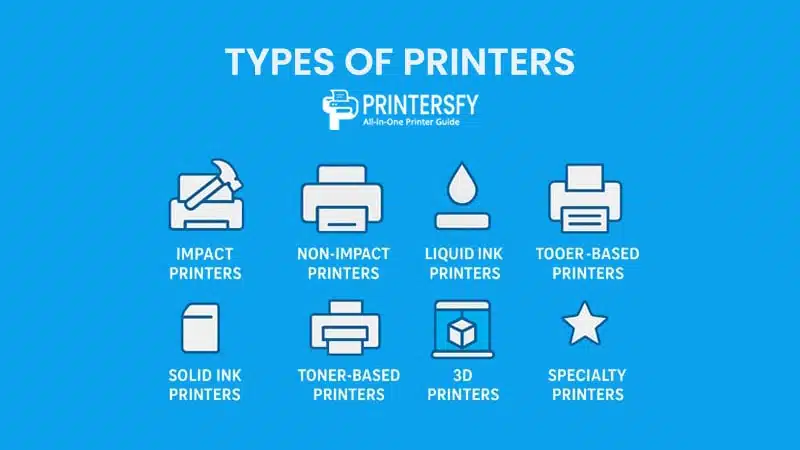
If you’ve ever shopped for a new Printer, you’ve probably noticed one thing right away: there are so many types of printers out there that it’s easy to feel overwhelmed. Walk into any electronics store or browse online, and you’ll see rows of sleek inkjets, sturdy laser printers, compact portable models, and even 3D printers that look like they belong in a sci-fi movie. The variety is exciting—but also a little confusing if you’re not sure what you actually need.
The truth is, not all printers are created equal. Each type of printer is designed with a specific purpose in mind, whether it’s high-volume document printing in an office, producing vibrant photo prints at home, or creating large-format engineering plans. Without understanding the differences, you might end up with a printer that’s slow, expensive to maintain, or simply not suited to your day-to-day tasks.
That’s why knowing the types of printers before you buy isn’t just a smart move—it’s essential. In this guide, we’ll break down the different types of computer printers in detail, explaining how each one works, where it shines, and where it might fall short. We’ll look at classic impact printers still valued in certain industries, modern non-impact printers found in homes and offices, and even specialized devices like plotters and garment printers.
By the end, you won’t just recognize the names—you’ll understand exactly which printer type matches your needs, your budget, and your long-term goals. So, let’s take a closer look at the fascinating world of types of printers, and help you find the one that’s built to handle your printing challenges.
Understanding Printers and Their Importance
Printers may seem like simple peripherals, but their role in our daily lives is far from ordinary. In the context of computer peripherals, a printer is the bridge between the digital and physical world—transforming on-screen data into tangible documents, images, or even three-dimensional objects.
Whether you’re a student printing research papers, a business owner producing invoices, or a designer creating high-resolution graphics, the right type of printer can make the difference between smooth productivity and constant frustration.
At home, printers often serve as multi-purpose tools. Families rely on them for school assignments, holiday cards, personal projects, and occasional photo printing. A good home printer strikes a balance between affordability, ease of use, and decent print quality.
In the office, however, the priorities shift. Speed, volume capacity, and durability take center stage—making business-grade laser printers or multifunction devices a more suitable choice.
In education, printers play an equally vital role. Teachers and students depend on reliable computer printers to produce worksheets, visual aids, and reports. High-quality, efficient printing ensures learning materials are ready on time and in the right format.
In industries such as engineering, manufacturing, and healthcare, specialized printers handle large-format blueprints, product labels, or medical imaging with precision.
The importance of understanding the types of printers becomes clear when you match their capabilities to your needs. Choosing an industrial printer for occasional home use would be overkill—and expensive. On the other hand, relying on a small desktop inkjet for high-volume corporate printing could quickly become inefficient and costly.
Ultimately, printers are more than just machines; they’re productivity enablers. By recognizing how different printer technologies align with specific tasks, you can avoid costly mistakes, maximize efficiency, and ensure consistent results.
This foundation will prepare us to dive into the various categories of printers, exploring their technologies, strengths, and ideal applications in detail.
Types of Printers: Complete List, Features, and Common Uses
| Main Category | Sub-Type | Printing Technology | Common Use Cases |
|---|---|---|---|
| Impact Printers | Dot Matrix Printer | Pins strike ribbon to form characters | Invoices, multi-part forms, industrial records |
| Daisy Wheel Printer | Hammered wheel prints fixed characters | Letter-quality text, official documents | |
| Line Printer | Prints an entire line via mechanical impact | High-speed bulk printing, data centers | |
| Character Printer | Impact-based character-by-character printing | Legacy systems, structured reports | |
| Non-Impact Printers | Home Printer | Inkjet or laser (non-impact) | Personal documents, home use |
| Office Printer | Laser or inkjet (non-impact) | Daily office documentation | |
| Business Inkjet Printer | High-speed inkjet technology | Cost-efficient business printing | |
| Multifunction Printer (MFP) | Print, scan, copy, fax (non-impact) | Office workflow consolidation | |
| Single Function Printer | Print-only non-impact device | Dedicated printing environments | |
| Portable Printer | Compact inkjet or thermal printing | Mobile and on-the-go printing | |
| Industrial & Specialty Printers | Specialized non-impact mechanisms | Manufacturing and commercial operations | |
| Liquid Ink Printers | Inkjet Printer | Liquid ink sprayed through nozzles | Documents, photos, general printing |
| Ink Tank Printer | Refillable liquid ink reservoirs | High-volume, low-cost printing | |
| Graphics Printer | High-resolution inkjet output | Design, visual communication | |
| Direct-to-Garment (DTG) Printer | Inkjet printing directly onto fabric | Custom apparel production | |
| Solid Ink Printers | Standard Solid Ink Printer | Melted wax-based ink transfer | Office and color-focused printing |
| High-Capacity Solid Ink Printer | Enhanced solid ink throughput | High-volume color printing | |
| Multi-Function Solid Ink Printer (MFP) | Solid ink with scanning and copying | Integrated office environments | |
| Toner-Based Printers | Monochrome Laser Printer | Black toner fused by heat | Text-heavy office printing |
| Color Laser Printer | CMYK toner fusion process | Presentations, marketing materials | |
| LED Printer | LED array replaces laser beam | Reliable business document printing | |
| 3D Printers | FDM 3D Printer | Extruded thermoplastic filament | Prototyping, hobbyist projects |
| SLA 3D Printer | UV laser cures liquid resin | High-detail models, dental work | |
| SLS 3D Printer | Laser-fused powdered material | Functional industrial parts | |
| Specialized Printers | Label Printer | Thermal or inkjet labeling | Packaging and product identification |
| Large Format Printer (Plotter) | Wide-format inkjet or toner | Posters, CAD drawings, blueprints | |
| Flex Printer | Solvent or eco-solvent inkjet | Flex media advertising | |
| Banner Printer | Wide-format inkjet printing | Outdoor and indoor signage | |
| Photo Printer | High-resolution inkjet output | Photography and creative studios | |
| Thermal Printer | Direct or transfer thermal printing | Receipts, tickets, labeling | |
| Receipt Printer | Direct thermal mechanism | Retail and POS systems | |
| Textile Printer | DTG or dye sublimation | Fabric and apparel printing | |
| A3 Printer | Inkjet or laser (A3 size) | Design layouts, small posters | |
| A2 Printer | Wide-format inkjet | Large-scale graphics and drawings |
The table above summarizes the different types of computer printers—from traditional impact printers to modern non-impact printers—as well as liquid ink printers, solid ink printers, toner-based printers, 3D printers, and specialty printers.
Whether you’re looking for a type of printer for personal use, a busy office, or specialized industrial production, this guide will help you match the right technology to your printing needs.
Exploring Different Types of Computer Printers

When discussing the different types of computer printers, the first major division is between impact printers and non-impact printers. This classification is based on how the device transfers ink or toner to paper.
Impact printers physically strike an ink ribbon against the paper—much like a typewriter—while non-impact printers use methods such as spraying ink or fusing toner without direct mechanical contact.
However, the world of printing goes far beyond just these two categories. Today, we also have liquid ink printers, solid ink printers, toner-based printers, 3D printers, and specialty printers, each offering unique features and serving specific needs in home, office, and industrial environments.
In the sections that follow, we’ll break down every type of computer printer and subcategory, explaining how each works, its strengths, limitations, and the scenarios where it truly shines.
Impact Printers

Impact printers are among the earliest types of printers used with computers, relying on a mechanical striking action to transfer ink from a ribbon onto paper. While they may seem outdated compared to modern inkjet or laser devices, they still serve critical roles in niche industries.
According to IDC’s 2024 Worldwide Hardcopy Peripherals Tracker, impact printers represent less than 2% of global printer shipments, but they remain indispensable in environments like logistics, warehouses, and industrial plants where multi-part carbon forms are required.
This is because their printing mechanism can imprint through multiple layers of paper at once—something non-impact printers cannot do.
Types of Impact Printers include:
- Dot Matrix Printers – These use a print head with a grid of pins that strike an ink ribbon to form characters and images. While they offer low resolution (typically 240–360 dpi), they are extremely durable and cost-effective for high-volume, low-quality printing.
- Daisy Wheel Printers – Similar to a typewriter, they use a wheel with pre-shaped characters that strike against the ribbon. They produce letter-quality text but are limited to text-only output and very slow speeds.
- Line Printers – Common in data centers, these machines print an entire line of text at once using mechanical hammers. Gartner’s 2023 enterprise hardware study notes that line printers can exceed 2,000 lines per minute, making them ideal for bulk transaction records.
While impact printers won’t win any awards for speed or resolution compared to modern devices, their unmatched ability to produce multi-part, carbon-copy documents keeps them relevant in certain business operations.
Dot Matrix Printer
The dot matrix printer is perhaps the most recognizable impact printer. It uses a print head containing tiny pins that strike an ink ribbon to form characters and images from a grid of dots. This design allows for printing on multi-layer forms, making it a go-to choice for banks, manufacturing facilities, and administrative offices.
Though the output quality is not as sharp as an inkjet or laser printer, the dot matrix is extremely durable and inexpensive to maintain. In environments where ruggedness and continuous operation matter more than aesthetics, this type of printer is unmatched. Many factories still rely on dot matrix printers to generate invoices, packing slips, and production logs, proving that even older types of computer printer can be indispensable.
Daisy Wheel Printer
A daisy wheel printer works on a similar mechanical principle but focuses on producing crisp, letter-quality text. Instead of a grid of dots, it uses a wheel with pre-formed characters—resembling the petals of a daisy—that strikes the ribbon to imprint each letter. This method delivers uniform, sharp text, making it a popular choice for legal documentation in its prime.
However, because it can only print text and lacks the ability to produce graphics, its relevance has diminished in modern settings. That said, collectors and certain archival institutions still value the daisy wheel for its precision and historical significance. It serves as a reminder that not all printer and types are designed for versatility—some excel in a single specialized task.
Line Printer
Line printers take mechanical printing to another level by printing an entire line of text at once. This makes them incredibly fast compared to other impact printers, with some models capable of producing hundreds of lines per minute. Historically, they were essential for mainframe systems and large-scale data centers, where printing massive reports overnight was routine.
While they cannot produce complex graphics and are limited to basic text output, their speed in handling huge volumes keeps them in limited use today. Many consider them a bridge between old-school mechanical types of printers and the high-speed digital devices that dominate offices now.
Character Printer
Character printers are the simplest of the impact category, printing one character at a time. They are slow by modern standards, but their straightforward mechanical design made them highly reliable in early computing environments.
Though largely obsolete, some specialized systems still employ them for low-volume, high-accuracy text output. This highlights a key point: even when certain types of computer printer fade from the consumer market, they can persist in specific technical or industrial roles.
Comparison of Impact Printers
| Impact Printer Type | Technology | Print Speed | Print Quality (DPI) | Best For | Pros | Cons |
|---|---|---|---|---|---|---|
| Dot Matrix Printer | Pins strike ink ribbon to form dot patterns | Slow to Medium | 60–240 DPI | Multi-part forms, receipts | Durable, low cost per page, prints carbon copies | Noisy, low resolution |
| Daisy Wheel Printer | Pre-formed characters on a spinning wheel | Slow | Letter-quality text (~120 DPI) | Legal documents, formal letters | Sharp text, consistent output | No graphics, slow speed |
| Line Printer | Prints an entire line in one strike | Very Fast | ~72 DPI | Large data reports, mainframe output | Extremely fast, reliable for bulk text | Text only, large footprint |
| Character Printer | Prints one character at a time mechanically | Very Slow | ~72 DPI | Early computing systems | Simple design, easy maintenance | Very slow, text only |
Non-Impact Printers

Non-impact printers revolutionized the printing industry by eliminating the need for physical contact between the print head and paper. Instead, they use advanced technologies like ink spraying, heat fusion, or thermal imaging to transfer an image. This innovation brought quieter operation, higher print quality, and faster speeds compared to traditional impact printers.
According to Fortune Business Insights, non-impact printers account for over 92% of all printers sold globally, with inkjet and laser models leading both the home and office segments. The reduced noise and maintenance, combined with superior resolution, make them the go-to choice for most modern printing needs.
Key types of Non-Impact Printers include:
- Inkjet Printers – Spray fine droplets of liquid ink directly onto the paper. Resolution can reach 1200 dpi or higher, making them ideal for detailed graphics and photo printing. However, they tend to have higher running costs due to ink cartridge prices.
- Laser Printers – Use a laser beam to form an electrostatic image on a drum, which then attracts toner and fuses it with heat. They are known for speed (up to 40 ppm in mid-range models) and lower cost per page for text-heavy documents.
- Thermal Printers – Rely on heat to create images, either by activating heat-sensitive paper (direct thermal) or using a heat-transfer ribbon (thermal transfer). Widely used for receipts, barcodes, and labels, especially in retail and logistics.
A 2023 study by IDC found that businesses switching from inkjet to laser for bulk text printing reduced printing costs by an average of 25% annually, thanks to the lower cost-per-page and longer lifespan of toner cartridges.
Home Printer
The home printer is the most familiar type of printer to everyday consumers. Usually compact and affordable, it’s built for occasional printing of documents, school assignments, and personal projects. Many modern home printers also double as photo printers, offering decent color reproduction for casual use.
However, they are not designed for heavy workloads, and frequent use can lead to higher ink costs over time. Still, for households and students, this is one of the most accessible types of computer printers available.
Office Printer
Office printers are designed to handle medium to high-volume workloads. They often include document management features such as duplex printing, network connectivity, and large paper trays. While they require a higher initial investment, their efficiency in producing large batches of documents makes them cost-effective in the long run.
Businesses that rely on steady printing, like law firms or government agencies, often choose this type of printer to ensure consistent output without interruptions.
Business Inkjet Printer
A business inkjet printer bridges the gap between home and office devices. While still using inkjet technology, these printers are optimized for professional use, with faster speeds, larger ink capacities, and better durability.
Design studios, marketing firms, and small print shops often rely on this type of printer because it delivers vibrant colors and high-resolution output without the bulk of a laser printer. However, the cost of ink remains a consideration, especially for businesses with heavy printing needs.
Multifunction Printer (MFP)
Multifunction printers combine printing, scanning, copying, and sometimes faxing in one device. They are a common choice for small offices and home-based businesses where space is limited.
While they save money by consolidating functions, there’s a trade-off: if one part of the machine fails, it can affect the entire unit. Still, their convenience makes them one of the most versatile types of computer printer in the market.
Single Function Printer
In contrast, a single function printer focuses solely on printing. This simplicity often means greater durability and lower maintenance costs.
Schools and offices with centralized scanning or copying equipment often choose this type of printer for straightforward, dependable document production.
Portable Printer & Portable Photo Printer
Portable printers are lightweight, battery-powered devices meant for printing on the go. They are ideal for sales representatives, journalists, or field workers who need immediate document output.
A related device, the portable photo printer, specializes in printing high-quality images directly from cameras or smartphones. While neither is built for heavy-duty work, their mobility makes them an essential printer and types for professionals on the move.
Industrial & Specialty Printers
Industrial printers are massive, robust machines capable of printing thousands of pages without pause. They are common in factories, distribution centers, and large-scale publishing.
Specialty printers, on the other hand, are tailored for unique tasks—such as printing ID cards, tickets, or labels. While they may not suit general document printing, these types of computer printers excel in their specific niches.
Black and White vs. Color Printers
Finally, one of the simplest distinctions in non-impact types of printers is between monochrome and color models. Black and white printers are economical for text-heavy documents, while color printers bring vibrancy to marketing materials, presentations, and creative projects.
A3 and A2 printers, which handle larger paper sizes, also fall under this category, catering to architects, designers, and advertising agencies that need oversized, detailed prints.
Comparison of Non-Impact Printers
| Non-Impact Printer Type | Technology | Print Speed | Print Quality (DPI) | Best For | Pros | Cons |
|---|---|---|---|---|---|---|
| Home Printer | Inkjet or laser | Slow to Medium | 300–1200 DPI | Home, school | Affordable, compact | Limited capacity, higher ink cost |
| Office Printer | Laser or high-capacity inkjet | Medium to Fast | 600–2400 DPI | Office documents | Fast, reliable, high volume | Higher purchase price |
| Business Inkjet Printer | Professional inkjet | Medium | 1200+ DPI | Design, marketing | High print quality, good for graphics | Ink still costly |
| Multifunction Printer | Inkjet or laser with scan/copy/fax | Medium | 300–1200 DPI | Small offices | Space-saving, versatile | One function failure can affect all |
| Single Function Printer | Inkjet or laser | Medium | 600–1200 DPI | Schools, text printing | Durable, low maintenance | No extra features |
| Portable Printer | Compact inkjet or thermal | Slow | 300–600 DPI | Mobile work | Lightweight, portable | Limited paper size |
| Portable Photo Printer | Thermal dye-sublimation | Slow | 300–600 DPI | Event photography | Instant photo prints | Not for documents |
| Industrial Printer | High-capacity laser or inkjet | Very Fast | 600–2400 DPI | Factories, bulk jobs | High volume, durable | Expensive, large |
| Specialty Printer | Specific-purpose tech (ID, tickets) | Medium | Varies | Retail, events | Customized output | Limited scope |
| Black & White Printer | Monochrome laser | Medium to Fast | 600–1200 DPI | Text documents | Low cost, fast | No color |
| Color Printer | Color laser or inkjet | Medium | 1200+ DPI | Marketing, photos | Vibrant output | Higher running cost |
| A3 Printer | Large format inkjet or laser | Slow to Medium | 1200+ DPI | Posters, designs | Handles big paper | Larger size |
| A2 Printer | Large format inkjet | Slow | 1200+ DPI | Maps, engineering | High detail | Needs large space |
Liquid Ink Printers

Liquid ink printers are a subcategory of non-impact printers that use liquid-based inks instead of toner or solid materials. The most common type is the inkjet printer, but in recent years, ink tank systems have become increasingly popular for both home and office use.
These printers offer high-quality output with vibrant colors and sharp details, making them ideal for photos, marketing materials, and any work requiring precise color reproduction.
According to IDC’s Worldwide Quarterly Hardcopy Peripherals Tracker (Q2 2024), liquid ink printers hold over 45% of the consumer printer market, driven largely by the demand for low-cost-per-page ink tank models from brands like Epson (EcoTank series), Canon (PIXMA G series), and HP (Smart Tank series).
Main types of Liquid Ink Printers include:
- Inkjet Printers – Use microscopic nozzles to spray fine droplets of liquid ink directly onto paper. They deliver exceptional print quality but can be costly to run if used heavily with OEM cartridges.
- Ink Tank Printers – Feature large, refillable ink reservoirs instead of cartridges, offering thousands of pages of output before refilling. Ideal for high-volume printing with low running costs.
- Photo Printers – Specialized inkjet models optimized for photo printing, often using more than four ink colors (such as cyan, magenta, yellow, black, light cyan, and light magenta) for smoother gradients and color accuracy.
A Grand View Research 2023 imaging technology report highlights that ink tank printers are the fastest-growing segment in the consumer printing space, with an annual growth rate exceeding 18%, largely due to their environmental and economic benefits.
Inkjet Printer
Inkjet printers are perhaps the most recognizable member of the liquid ink printer family. They work by spraying extremely fine droplets of ink directly onto the paper, creating images and text with remarkable clarity.
As one of the most widely used types of computer printers, inkjets are loved for their ability to produce high-resolution prints that can rival professional photo labs. Whether printing family snapshots or business presentations, the detail and vibrancy are hard to beat.
However, that same precision comes with trade-offs. Inkjet printers tend to consume more ink per page, which can lead to higher running costs, especially for heavy printing needs.
Cartridges are also relatively expensive compared to the amount of ink they hold. Still, for home users, students, and small offices that prioritize quality over quantity, an inkjet printer remains a solid choice. It balances size, affordability, and exceptional image output, which is why it dominates consumer-level printing.
Ink Tank Printer
The ink tank printer is essentially the evolution of the inkjet, designed to address the high running costs that frustrated many users. Instead of small cartridges, it uses large, refillable ink tanks that can last thousands of pages before needing a refill.
This makes it one of the most cost-efficient types of printers for those with high-volume printing needs. Over time, the savings in ink can far outweigh the higher upfront cost of the device itself.
Aside from cost efficiency, ink tank printers also maintain the same excellent print quality as traditional inkjets. They are popular among offices, schools, and small printing businesses that require both quality and economy.
Because of their larger ink reservoirs, they are also ideal for producing bulk materials like training manuals, marketing flyers, or school handouts without frequent interruptions for cartridge changes. For buyers who want the balance of quality, capacity, and cost savings, this type of printer is often the smartest investment.
Photo Printer
A photo printer specializes in producing stunning, high-quality photographic prints. While some models are compact and portable, others are large and designed for professional studios.
These printers often use multiple ink colors beyond the standard CMYK set, allowing them to reproduce skin tones, gradients, and subtle color variations with incredible accuracy. For photographers, artists, or businesses offering printing services, a dedicated photo printer ensures that every detail of the image is faithfully captured.
Of course, specialization comes with limitations. These printers are typically slower when producing text-heavy documents, and the cost per print can be high if used for everyday tasks. However, in their intended field — professional photo printing — they are unmatched.
In fact, among the different types of printers, photo printers hold a unique place because their technology prioritizes color depth, image sharpness, and archival-quality results over speed or volume.
Graphics Printer
A graphics printer is designed for professionals in fields like advertising, design, and digital art who need the absolute best in image reproduction. Unlike general-purpose printers, these machines are optimized for extremely high resolution, wide color gamut, and precise line detail.
They can handle complex gradients, intricate vector graphics, and large-format prints without compromising quality. In many ways, they are the pinnacle of liquid ink printer technology.
Because they are built for performance, graphics printers come with a high price tag, both in initial purchase and in ongoing maintenance.
They often require specialized inks and media to achieve their maximum potential. But for businesses where presentation quality directly impacts sales — such as design agencies or print shops — investing in this type of printer is a strategic move.
Direct-to-Garment (DTG) Printer
The DTG printer is a specialized type of printer that takes the concept of liquid ink application beyond paper. Using specially formulated textile inks, DTG printers can apply detailed, full-color designs directly onto fabric, usually cotton-based materials.
This makes them a popular choice for custom T-shirt printing, personalized apparel, and small-batch fashion production. The results are soft to the touch, washable, and capable of showcasing intricate details like gradients or photographic images.
While DTG printing offers creative freedom, it’s generally slower than other textile printing methods like screen printing, especially for large orders.
The printers themselves are also expensive, and the inks can add to operational costs. However, for businesses focusing on customization and print-on-demand products, DTG technology opens up lucrative opportunities that traditional paper-focused types of printers simply can’t provide.
Comparison Table – Liquid Ink Printers
| Printer Type | Printing Technology | Best For | Strengths | Limitations |
|---|---|---|---|---|
| Inkjet Printer | Sprays tiny droplets of liquid ink directly onto paper | Home use, students, small offices | High resolution, vibrant colors, compact size | Higher running costs, slower for bulk printing |
| Ink Tank Printer | Continuous ink supply via refillable tanks | High-volume printing in offices, schools | Low cost per page, excellent quality, long-lasting ink supply | Higher upfront cost, larger footprint |
| Photo Printer | Multi-color liquid ink for photographic detail | Photographers, artists, creative businesses | Exceptional color accuracy, professional-quality images | Slower for documents, expensive media and ink |
| Graphics Printer | High-resolution, wide color gamut ink printing | Design agencies, advertising, large-format graphics | Unmatched detail, large format capability | Very high purchase and maintenance cost |
| Direct-to-Garment (DTG) Printer | Liquid textile ink applied directly to fabric | Custom apparel printing, print-on-demand | Prints directly on fabric, full-color designs, soft finish | Slow for large orders, costly inks and machine |
Solid Ink Printers

Solid ink printers are a unique type of non-impact printer that use solid, crayon-like ink blocks instead of liquid ink or toner based printer powder. When printing, the ink is melted and jetted onto a drum, which then transfers the image onto paper.
This technology, pioneered by Tektronix and later popularized by Xerox, delivers vivid colors and a smooth finish, making it particularly popular in design studios and marketing departments that demand high-quality graphics.
According to a Keypoint Intelligence industry review (2023), solid ink printers produce up to 20% more color vibrancy compared to traditional toner-based devices, especially on coated or glossy papers. They also create less packaging waste, as the solid ink blocks are compact and require no cartridges—making them a greener choice for eco-conscious users.
Main advantages of Solid Ink Printers:
- High Color Quality – Excellent for graphics-heavy documents, with rich saturation and smooth gradients.
- Eco-Friendly – Minimal cartridge waste and reduced packaging.
- Consistent Output – Colors remain uniform from the first page to the last in each batch.
Drawbacks to consider:
- Warm-Up Time – Requires time to melt the solid ink before printing begins.
- Media Limitations – Best results are on specific paper types; not ideal for certain specialty materials.
- Availability – Fewer models and limited manufacturer support in recent years.
A Gartner 2024 sustainability report ranks solid ink printers as one of the most environmentally efficient office printer categories, especially for organizations aiming to reduce plastic waste and carbon footprint.
Standard Solid Ink Printer
The standard solid ink printer is the baseline model in this category. It works by heating solid ink sticks until they melt into a liquid form, which is then sprayed or transferred onto the paper. This process allows for consistent, vivid prints with colors that pop.
Because the ink sits on the surface of the paper rather than soaking in, the results are especially striking for graphics, charts, and marketing materials.
One of the main appeals of this type of printer is its ability to deliver the same print quality on a wide variety of paper stocks, including recycled paper. Businesses that prioritize sustainability often choose solid ink printers because the ink blocks are compact and require less packaging than traditional printer cartridges.
However, there are some drawbacks. Solid ink printers usually require a warm-up period before they’re ready to print, which can be inconvenient for offices that need quick, on-demand printing. Additionally, while the cost per page is competitive, the devices themselves can be more expensive upfront than other types of printers in the same performance range.
High-Capacity Solid Ink Printer
For organizations with high-volume printing needs, the high-capacity solid ink printer offers the same quality as the standard model but with larger ink reservoirs and faster print speeds. This makes it suitable for busy offices, schools, and printing departments that produce large batches of documents daily.
The advantages here go beyond speed. Larger ink capacity means less frequent refilling, reducing downtime and allowing for smoother workflow in environments where every minute counts.
This type of computer printer is also more cost-efficient over the long term when compared to traditional color laser printers with similar output quality.
On the downside, high-capacity solid ink printers are bulkier and require more workspace. They also tend to be more expensive than both the standard solid ink models and many color laser printers. Businesses considering this investment should weigh their volume needs carefully against budget constraints.
Multi-Function Solid Ink Printer (MFP)
The multi-function solid ink printer takes the technology a step further by combining it with scanning, copying, and sometimes faxing capabilities. These devices are designed for offices that want a single, all-in-one solution without sacrificing print quality.
With vivid color output, eco-friendly operation, and versatile document handling, MFP solid ink printers offer a strong value proposition for mid- to large-sized organizations.
Because they integrate multiple functions, these printers can save space and reduce the need for multiple devices. They also streamline workflows by allowing employees to scan and print directly from the same machine.
That said, maintenance can be more complex for MFP solid ink printers compared to single-function models. If one function fails, it can disrupt multiple office processes. Additionally, the initial investment is higher, and the complexity of the machine means that repair costs can be steeper if problems arise.
Comparison Table – Solid Ink Printers
| Printer Type | Printing Technology | Best For | Strengths | Limitations |
|---|---|---|---|---|
| Standard Solid Ink Printer | Melts solid ink sticks and applies to paper | Small to mid-sized offices, marketing teams | Vivid colors, works on varied paper types, eco-friendly | Warm-up time, higher initial cost |
| High-Capacity Solid Ink Printer | Larger ink reservoirs, faster melting & transfer | High-volume printing environments | Faster printing, lower long-term cost per page | Bulky size, high purchase price |
| Multi-Function Solid Ink Printer (MFP) | Solid ink with integrated scan/copy/fax | Offices needing all-in-one solutions | Saves space, streamlines workflow, high-quality output | Complex maintenance, costly repairs |
Toner-Based Printers

Toner-based printers are among the most widely used types of computer printers in offices worldwide. Instead of liquid ink, they rely on powdered toner—a fine, plastic-based material that is fused onto paper using heat and pressure. This technology is most commonly associated with laser printers, but it also powers LED printers and some high-volume digital press machines.
According to IDC’s Worldwide Quarterly Hardcopy Peripherals Tracker (2024), toner-based printers account for over 60% of all office printer installations, mainly due to their speed, durability, and low cost per page for text-heavy documents.
Brands like HP LaserJet, Brother HL series, and Canon imageCLASS dominate this segment, offering reliable performance in corporate environments.
Main categories of Toner-Based Printers:
- Monochrome Laser Printers – Designed for black-and-white output, offering high speed and low operating costs. Common in legal, administrative, and academic environments.
- Color Laser Printers – Use CMYK toner to produce full-color prints, suitable for marketing materials, presentations, and color reports.
- LED Printers – Similar to laser printers but use light-emitting diodes instead of a laser beam to form the image. They have fewer moving Printer parts, making them more compact and often more reliable.
Advantages of Toner-Based Printers:
- High-Speed Printing – Can handle bulk jobs without slowing down.
- Sharp Text Quality – Ideal for professional documents.
- Long-Term Cost Efficiency – Toner cartridges last longer than ink cartridges.
Drawbacks to Consider:
- Higher Upfront Cost – Generally more expensive to purchase than inkjet printers.
- Larger Footprint – Many models are bulkier, taking up more office space.
- Not Ideal for High-Quality Photo Printing – Better suited for documents than images.
A Gartner 2023 office equipment survey confirmed that toner-based printers remain the go-to choice for organizations prioritizing document clarity, speed, and consistent output quality, especially in high-demand environments.
Monochrome Laser Printer
The monochrome laser printer is perhaps the most common type of printer in business settings. Designed to print only in black and white, it’s ideal for text-heavy documents, invoices, forms, and reports. These printers are fast, producing dozens of pages per minute, and their toner cartridges typically last much longer than ink cartridges.
For businesses that prioritize cost efficiency, monochrome laser printers are a clear winner. The cost per page is significantly lower compared to ink-based printers, especially for large-scale printing. They’re also built for durability, often lasting years with minimal maintenance.
However, the lack of color output limits their versatility. Organizations that need to print presentations, marketing materials, or images will need an additional printer for those tasks. Still, for purely text-based work, this type of computer printer is nearly unbeatable in terms of speed and cost-effectiveness.
Color Laser Printer
Color laser printers bring the same speed and efficiency of monochrome models but add the ability to produce high-quality color prints. This makes them suitable for marketing departments, design teams, and schools that need professional-looking documents and graphics without sacrificing speed.
These printers use four separate toner cartridges—cyan, magenta, yellow, and black—to produce a wide range of colors. While they can’t quite match the photographic quality of high-end inkjets, they excel at creating sharp, vibrant documents for business use.
The main trade-off is cost. Color toner cartridges are more expensive than their monochrome counterparts, and running costs can add up for organizations that print large volumes of color pages. Nonetheless, for businesses that require reliable, fast color printing, this type of printer is often the best compromise.
Multi-Function Laser Printer (MFP)
The multi-function laser printer combines printing, scanning, copying, and sometimes faxing into one device, providing a space-saving solution for offices with diverse document needs. Available in both monochrome and color versions, these printers are ideal for organizations looking to consolidate their equipment without sacrificing performance.
An MFP reduces clutter, streamlines workflow, and often includes network connectivity for shared office use. With features like automatic document feeders and duplex printing, they can handle a variety of tasks quickly and efficiently.
However, similar to MFP solid ink printers, maintenance and repairs can be more complicated. If one function fails, it can affect the entire device. The initial cost is also higher than single-function laser printers, but for offices that need multiple capabilities, the investment often pays off in productivity gains.
Comparison Table – Toner-Based Printers
| Printer Type | Printing Technology | Best For | Strengths | Limitations |
|---|---|---|---|---|
| Monochrome Laser Printer | Black toner fused to paper with heat | Text-heavy printing, large volumes | Fast, low cost per page, durable | No color printing |
| Color Laser Printer | CMYK toner fused with heat and pressure | Business documents, marketing materials | Fast color printing, sharp text and graphics | Higher running costs, not photo quality |
| Multi-Function Laser Printer (MFP) | Laser printing with scan/copy/fax | Offices needing all-in-one solutions | Saves space, versatile, network-ready | Complex maintenance, higher initial cost |
3D Printers

Among all types of computer printers, 3D printers stand out because they don’t print on paper at all—instead, they create three-dimensional objects layer by layer from digital designs. This is achieved using different additive manufacturing techniques such as FDM (Fused Deposition Modeling), SLA (Stereolithography), and SLS (Selective Laser Sintering).
The global 3D printer market has been growing rapidly, with IDC reporting a 19% year-over-year increase in shipments in 2024, driven by applications in prototyping, manufacturing, healthcare, and education.
Companies like Ultimaker, Prusa, Creality, and Formlabs have made desktop 3D printing accessible to hobbyists and small businesses, while industrial players such as Stratasys and 3D Systems dominate the high-end segment.
Main categories of 3D Printers:
- FDM Printers – Extrude melted thermoplastic filament layer by layer. Affordable and popular for hobbyist and educational projects.
- SLA Printers – Use UV lasers to cure liquid resin for extremely high detail, often used in dental modeling, jewelry design, and miniature production.
- SLS Printers – Fuse powdered materials (plastics, metals, or composites) using a laser, producing strong, functional parts for industrial use.
Advantages of 3D Printers:
- Rapid Prototyping – Allows designers to test and iterate quickly.
- Customization – Create objects tailored to specific needs.
- Material Variety – Plastics, metals, resins, and even food-based filaments.
Drawbacks to Consider:
- Slower Production for Large Runs – Best for low-volume, specialized production.
- Learning Curve – Requires CAD skills and machine calibration knowledge.
- Higher Initial Investment – Especially for industrial-grade models.
A Gartner 2024 report on emerging manufacturing tech notes that 3D printers are moving beyond prototyping into full-scale production, particularly in aerospace, automotive, and healthcare sectors—blurring the line between printing and manufacturing.
Fused Deposition Modeling (FDM) Printer
FDM printers are the most widely used 3D printers, particularly in hobbyist and educational settings. They work by extruding melted thermoplastic filament through a heated nozzle, which deposits the material layer by layer to form the final object.
FDM printers are relatively affordable and easy to use, making them a great starting point for beginners. They’re ideal for creating prototypes, functional parts, and simple models. However, surface finish and detail level are not as refined as other types of 3D printers, and post-processing (like sanding or painting) may be required for a polished look.
Stereolithography (SLA) Printer
SLA printers use ultraviolet (UV) light to cure liquid resin into solid layers, producing extremely high-resolution prints with smooth surfaces. This makes them perfect for applications requiring fine details, such as jewelry design, dental molds, and intricate prototypes.
While SLA printers offer superior print quality, they are more expensive to operate due to the cost of resin and the need for careful handling of materials. Maintenance and post-processing—such as washing and curing—are also more involved compared to FDM printing.
Selective Laser Sintering (SLS) Printer
SLS printers use a high-powered laser to fuse powdered material—often nylon or other polymers—into solid layers. Because the unused powder supports the printed object during the build, SLS can produce complex shapes without the need for additional support structures.
This type of printer is common in industrial applications, especially for functional prototypes and small-scale production runs. SLS printers are expensive and require specialized knowledge to operate, but they deliver exceptional durability and design freedom.
Comparison Table – 3D Printers
| Printer Type | Printing Technology | Best For | Strengths | Limitations |
|---|---|---|---|---|
| FDM Printer | Melted thermoplastic filament extruded layer-by-layer | Hobbyists, education, prototyping | Affordable, easy to use, versatile | Lower resolution, visible layer lines |
| SLA Printer | UV light curing liquid resin | Jewelry, dental, high-detail models | Extremely high detail, smooth finish | Expensive resin, more post-processing |
| SLS Printer | Laser fusing powdered material | Industrial prototypes, small-batch production | Complex designs, strong parts, no supports needed | High cost, complex operation |
Specialty Printers

In the broader discussion of types of computer printers, specialty printers occupy a unique niche. Unlike standard home or office printers, these devices are designed for specific applications—often with custom media, unique ink formulations, or specialized printing processes. Examples include label printers, large format printers, textile printers, and receipt printers.
According to a 2024 market analysis by Grand View Research, the global specialty printing market is expected to surpass $32 billion by 2028, driven by demand in retail, manufacturing, advertising, and fashion industries.
Manufacturers like Epson, Brother, Zebra Technologies, HP, and Roland dominate the segment, each catering to different industrial and creative needs.
Main categories of Specialty Printers:
- Label Printers – Often use thermal transfer or direct thermal methods to create product labels, shipping labels, or barcodes.
- Large Format Printers – Handle wide media for posters, banners, blueprints, and architectural designs, with resolutions that support high-quality graphics.
- Textile Printers – Such as DTG (Direct-to-Garment) and sublimation printers, which apply designs directly to fabrics for custom apparel production.
- Receipt Printers – Compact devices, usually direct thermal, optimized for point-of-sale systems in retail and hospitality.
Advantages of Specialty Printers:
- Purpose-Built Efficiency – Optimized for a specific function, improving productivity.
- High-Quality Results – Tailored output that meets industry standards.
- Industry-Specific Features – For example, smudge-proof inks for textile work or water-resistant labels for packaging.
Drawbacks to Consider:
- Limited Versatility – Can’t easily be repurposed for other printing needs.
- Higher Cost per Function – Specialized parts and consumables may be more expensive.
- Maintenance Needs – Some specialty units require regular calibration and cleaning.
Industry experts from Printing United Alliance emphasize that choosing the right specialty printer should start with a clear analysis of volume, media type, and operating environment, as these factors significantly impact ROI.
Label Printers
Label printers are built to produce adhesive-backed labels for product packaging, shipping, and inventory management. They typically use thermal printing technology—either direct thermal or thermal transfer—for speed, durability, and resistance to smudging.
Direct thermal printers use heat-sensitive paper that darkens when exposed to a heated printhead, while thermal transfer printers use a ribbon to transfer ink onto the label material. The latter offers longer-lasting prints, especially in harsh environments.
Businesses in logistics, manufacturing, and retail heavily rely on this type of printer for efficiency.
Large Format Printers (Plotters)
Large format printers, also known as plotters, are used for producing oversized graphics such as architectural blueprints, engineering diagrams, signage, and banners. They can print on media widths ranging from 24 inches to several feet, making them a favorite in design studios, advertising agencies, and construction firms.
Many large format printers use inkjet technology for full-color output, though some employ toner-based systems for higher speed. While they excel in delivering high-resolution, large-scale prints, their size, maintenance needs, and material costs can be significant considerations.
Photo Printers
Photo printers specialize in producing high-quality photographic prints. Using advanced inkjet or dye-sublimation technology, they can replicate a wide color gamut with exceptional accuracy and detail. This makes them popular among professional photographers, event companies, and creative studios.
While consumer-grade photo printers are available for home use, professional models offer larger print sizes, better color calibration, and higher durability. However, the cost of specialized inks and photo paper can make this type of printer more expensive to operate.
Receipt Printers
Commonly seen at checkout counters, receipt printers are essential in retail and hospitality settings. They usually employ direct thermal printing for fast, quiet, and cost-effective output. Their compact size and integration with point-of-sale (POS) systems make them convenient for high-traffic environments.
Although they are not designed for long-term print preservation (thermal receipts fade over time), they remain a staple for transactions due to their speed and simplicity.
Textile Printers
Textile printers are designed to print directly onto fabrics or transfer designs via heat-press methods. They are widely used in the fashion, promotional products, and interior design industries. Direct-to-garment (DTG) printers, sublimation printers, and screen-printing hybrids fall under this category.
These printers can reproduce detailed, full-color images on clothing, home décor items, and other fabric products. However, they require specific inks and substrates, and their operational costs can be higher than standard document printers.
Comparison Table – Specialty Printers
| Printer Type | Printing Technology | Best For | Strengths | Limitations |
|---|---|---|---|---|
| Label Printer | Direct thermal or thermal transfer | Product labels, shipping, inventory | Fast, durable prints, specialized media | Limited to label printing |
| Large Format Printer (Plotter) | Inkjet or toner-based large-scale printing | Banners, blueprints, signage | High resolution, large print sizes | High cost, large footprint |
| Photo Printer | Inkjet or dye-sublimation | Professional photography, events | Superior color accuracy, high detail | Expensive consumables |
| Receipt Printer | Direct thermal | Retail, hospitality | Fast, compact, POS integration | Prints fade over time |
| Textile Printer | DTG, sublimation, or screen-print hybrid | Clothing, fabric products | Prints directly on fabric, vibrant colors | Requires specialized inks and fabrics |
How to Choose the Right Printer Type for Your Needs
With so many types of printers available—from impact printers to modern laser and 3D models—choosing the right one depends on more than just price. You’ll want to balance the initial cost, ongoing operational expenses, and your specific printing needs.
1. Initial Cost vs. Operational Cost
Some types of computer printers are affordable upfront but costly to maintain, while others have higher purchase prices but lower running costs. For example, basic inkjet printers are inexpensive to buy, yet their cartridges can be pricey and run out quickly. On the other hand, monochrome laser printers may require a larger initial investment but can print thousands of pages before needing a new toner cartridge. When comparing any type of printer, always look beyond the sticker price and calculate your estimated cost per page.
2. Understanding Your Printing Needs
Your printing habits should guide your choice. Ask yourself:
- Volume: Do you print a few pages a week or hundreds per day? High-volume environments benefit from toner-based printers like laser models, while low-volume home users might prefer inkjet or ink tank printers.
- Document Type: If you mostly print text documents, a monochrome laser printer may suffice. For photos or marketing materials, a color inkjet or photo printer is better suited.
- Special Requirements: Need to print on fabric, labels, or 3D objects? Specialty printers—such as textile printers, label printers, or 3D printers—are designed for those tasks.
3. Quick Guide Based on Usage
Here’s a simple breakdown to help match the right printer and types with your needs:
| Usage Scenario | Recommended Types of Printer | Reason |
|---|---|---|
| Home & school | Inkjet, Ink Tank | Low-cost, color printing, compact size |
| Small office | Monochrome Laser, Color Laser | Fast, economical for text-heavy printing |
| Photography/Creative | Photo Printer, Large Format | High-quality image reproduction |
| Industrial/Production | Label Printer, Textile, 3D | Built for specific, high-volume tasks |
4. Final Tips Before Buying
Before deciding between different types of computer printer, consider:
- Total Cost of Ownership (TCO), including ink/toner replacements.
- Print speed and duty cycle to ensure it can handle your workload.
- Connectivity options like Wi-Fi, Bluetooth, and mobile printing for convenience.
By aligning your budget, usage needs, and long-term costs, you can confidently choose from the wide range of types of printers available today—ensuring your investment is both practical and cost-effective.
Conclusion
Exploring the many types of printers reveals just how diverse and specialized modern printing technology has become. From traditional impact printers like dot matrix models to advanced non-impact printers such as laser and inkjet devices, the evolution of printing has been driven by the demand for speed, quality, and versatility. In addition, specialized categories—such as 3D printers and specialty printers—prove that the term printer no longer refers only to paper output.
Choosing the right type of printer depends on your needs, whether it’s high-volume office work, industrial prototyping, retail transactions, or creative production. A clear understanding of the strengths and limitations of each category allows you to match the right machine to your specific tasks, ensuring efficiency, cost-effectiveness, and the desired print quality.
Ultimately, the world of printing continues to expand. By understanding the different types of computer printers, businesses and individuals can make informed choices that meet today’s needs while preparing for future innovations in printing technology.
FAQs about Types of Printers
What are the main types of printers?
The main types of printers include impact printers (like dot matrix and daisy wheel), non-impact printers (such as inkjet and laser), 3D printers, and specialty printers for tasks like photo printing, textile printing, and label creation.
Which type of printer is best for home use?
For home use, inkjet printers are popular due to their affordability and ability to print high-quality documents and images. If you need frequent, high-volume printing, a laser printer might be more cost-effective.
What are the different types of computer printers used in business?
Businesses often use laser printers for efficiency, label printers for inventory management, and large format printers for advertising and design. Industrial sectors may also use 3D printers for prototyping.
How do 3D printers differ from traditional printers?
Unlike traditional printers that produce 2D documents or images, 3D printers build solid objects layer by layer using materials like plastic, resin, or metal. They are used for manufacturing, prototyping, and custom production.
Which type of printer offers the highest print quality?
For 2D printing, high-end inkjet or photo printers using dye-sublimation technology often deliver the best quality. For 3D printing, SLA printers offer the highest resolution and smoothest finish.
