

Finding the best home printer is not always simple. Many models look similar at first, yet the real difference often appears after weeks of daily use. Some are cheap to buy but expensive to refill, while others cost more upfront and save money over time.
Many households now rely on one device for several tasks. A single printer might handle homework, scanned forms, shipping labels, and color documents for work. Convenience matters, but printing cost often becomes the bigger issue. Ink cartridges can run out quickly, while some modern printers are designed to print thousands of pages before needing a refill.
Another common challenge appears when a printer sits unused. Inkjet cartridges may dry, causing clogged nozzles and wasted ink. Laser printers avoid that problem and work better for occasional printing. This difference alone can influence which device becomes the best home printer for a household.
Photo printing introduces another factor. Families who print pictures at home usually prefer printers with stronger color accuracy and borderless photo capability. At the same time, students and remote workers usually care more about document speed, scanning features, and wireless connectivity.
Compatibility also matters more than it did a few years ago. Many users print directly from phones, tablets, or laptops without connecting a cable. Features such as Wi-Fi printing and AirPrint support make daily printing much easier, especially in homes where multiple devices share the same printer.
This guide compares several reliable models designed for different needs. Some focus on extremely low ink cost, others deliver high-quality photo output, and a few prioritize durability for occasional printing. Each model included here represents a strong candidate for the best home printer, helping readers narrow down the choices and find the device that fits their daily printing routine.
Quick Comparison of the Best Home Printers 2026
The following table compares several popular home printers based on their main strengths.
| Printer | Type | Best For |
|---|---|---|
| HP DeskJet 2755e | Inkjet | Scanner & basic home printing |
| Epson EcoTank ET-8550 | Ink tank | Photo printing |
| Brother HL-L2350DW | Laser | Occasional printing |
| HP LaserJet M234dw | Laser | Home office |
| Canon PIXMA MG3620 | Inkjet | Budget printing |
| Brother MFC-L3770CDW | Color laser | Color documents |
| Canon PIXMA G3270 | Ink tank | Under $200 |
| Epson EcoTank ET-2850 | Ink tank | Cheap ink |
| HP OfficeJet 3830 | Inkjet | Students |
| Canon PIXMA TS6420 | Inkjet | Mac / AirPrint |
| Epson EcoTank ET-3850 | Ink tank | Family printing |
| HP Smart Tank 7001 | Ink tank | High yield ink |
12 Best Home Printer Models for Different Needs
Choosing a printer for home use is rarely about one feature. Some households print school assignments and forms every week, while others mostly print photos or occasional documents. The models below cover several real home printing scenarios, from compact all-in-one devices to reliable laser machines designed for long-term use.
Each printer listed here stands out for a specific purpose. Some focus on scanning and wireless convenience, while others emphasize photo quality or dependable document printing. By comparing these devices side by side, it becomes easier to see which option fits everyday printing habits at home.
Printersfy is supported by readers. As an Amazon Associate we earn from qualifying purchases. Learn more.
1. HP DeskJet 2755e All-in-One Printer
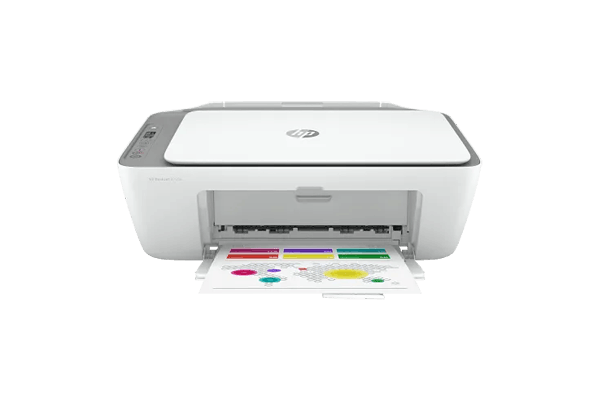
The HP DeskJet 2755e is a compact all-in-one device designed for simple home printing. Many households prefer it as a best home printer With Scanner since it combines printing, copying, and scanning in one small unit. The lightweight design fits easily on a desk or shelf without taking much space.
This printer works well for documents, homework sheets, and occasional color prints. Wireless connectivity allows printing directly from phones, laptops, or tablets without complex setup steps. For buyers searching for a Best Home Printer under $100, the DeskJet 2755e remains one of the most accessible choices.
Scanning is straightforward through the flatbed scanner, which handles basic documents and forms without extra configuration. While the cartridge system may require refills sooner than tank printers, the device still provides a practical solution for everyday household tasks.
Pros & Cons
| Pros | Cons |
|---|---|
| Affordable price | Cartridge ink cost |
| Built-in scanner | Slower printing |
| Compact design | Limited paper capacity |
2. Epson EcoTank Photo ET-8550 Printer
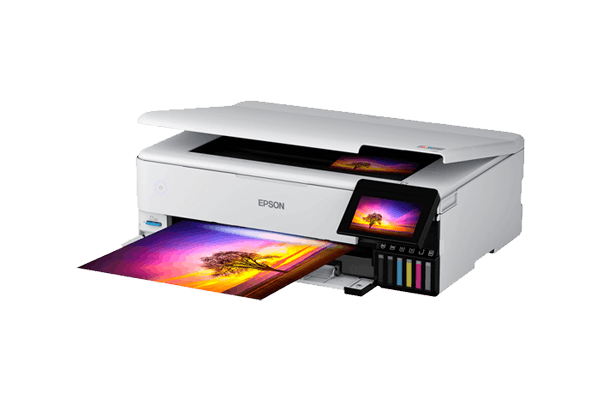
The Epson EcoTank Photo ET-8550 focuses on photo quality and versatile media support. Its six-color ink system produces detailed prints with accurate tones, making it a strong candidate for anyone searching for the best home printer for Photos. The printer also supports larger paper sizes, including wide-format photo printing.
Instead of traditional cartridges, this model uses refillable ink tanks. Each bottle provides thousands of pages, which significantly reduces long-term printing costs. The system works especially well for households that regularly print photos, artwork, or craft designs.
The printer also attracts hobbyists looking for the best home printer for crafts. It handles various paper types such as glossy photo paper, thicker cardstock, and creative materials often used for invitations or custom prints. Despite its larger size, the ET-8550 offers reliable performance for families who print frequently.
Pros & Cons
| Pros | Cons |
|---|---|
| Excellent photo quality | Expensive upfront |
| Very low ink cost | Large footprint |
| Wide media support | Slower draft printing |
3. Brother HL-L2350DW Laser Printer

The Brother HL-L2350DW is a monochrome laser printer built for fast document printing. It performs particularly well in homes where printing happens occasionally rather than daily. Laser printers use toner instead of liquid ink, so they avoid the common problem of dried cartridges.
Because of this reliability, many users consider it a best home printer for Occasional Use. The machine can sit idle for days or even weeks and still produce sharp text when needed. This makes it practical for households that only print forms, receipts, or short reports.
Print speeds are noticeably faster than most entry-level inkjet models. Documents come out crisp and clear, especially black text on plain paper. While it does not support scanning or color printing, the HL-L2350DW remains a dependable solution for straightforward document tasks.
Pros & Cons
| Pros | Cons |
|---|---|
| Fast text printing | No scanning |
| Toner lasts long | Monochrome only |
| Reliable laser engine | No color printing |
4. HP LaserJet MFP M234dw Printer
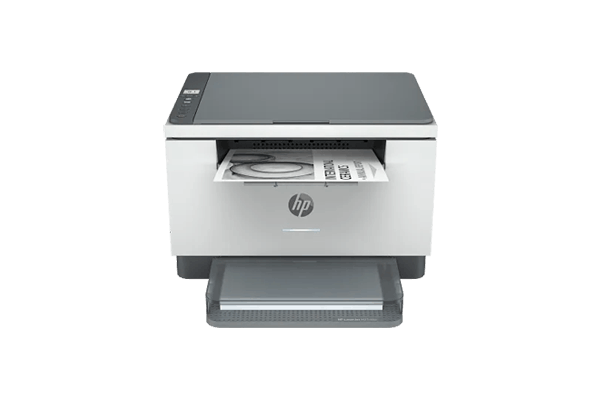
The HP LaserJet MFP M234dw combines laser printing speed with multifunction capabilities. Unlike basic laser printers, this model includes scanning and copying features that are useful for everyday home office work. Documents print quickly, making it suitable for households that handle frequent paperwork.
Many users searching for the Best Laser Printer for Home Use prefer devices like this because they balance performance with compact design. Automatic duplex printing helps reduce paper waste, while wireless connectivity allows documents to be printed from multiple devices.
Scanning works well for contracts, receipts, or homework documents that need digital copies. The printer also maintains the strong text clarity typical of laser technology. Although it only prints in black and white, it delivers consistent output for forms, reports, and everyday documents.
Pros & Cons
| Pros | Cons |
|---|---|
| Fast laser printing | Higher price |
| Automatic duplex | Toner replacement cost |
| Compact laser design | No color printing |
5. Canon PIXMA MG3620 Wireless Printer

The Canon PIXMA MG3620 Wireless Printer focuses on simple and affordable home printing. Many households consider it a best budget printer for home use since it combines basic printing, scanning, and copying features without a high upfront cost. Its compact design also makes it a practical choice for small desks or limited workspace.
Wireless connectivity is one of the main strengths of this model. Documents can be printed directly from smartphones, tablets, or laptops without connecting cables. Because of this convenience, some users also see it as one of the best home printers wireless for everyday household tasks such as homework sheets, travel forms, and quick color documents.
Setup usually takes only a few minutes through standard Wi-Fi configuration or a mobile printing app. Once connected, multiple family members can send documents to the printer from different devices around the house.
Despite its compact size, the printer handles everyday printing reliably. It works best for occasional documents rather than heavy workloads. Families looking for a straightforward device that prints color pages at a low purchase price often find this model practical for basic home tasks.
Pros & Cons
| Pros | Cons |
|---|---|
| Very affordable | Ink cartridges expensive |
| Wireless printing | Average print speed |
| Compact size | Small paper tray |
6. Brother MFC-L3770CDW Color Laser Printer

The Brother MFC‑L3770CDW Color Laser Printer is designed for households that print many documents in color. Its laser engine produces sharp text and vibrant graphics, which makes it a strong candidate for a Best Colour Printer for Home Use.
Unlike basic inkjet printers, this device handles higher monthly printing volumes without slowing down. Automatic duplex printing and a built-in document feeder make it easier to manage longer documents, reports, or school projects.
Wireless connectivity allows printing from phones and computers, while the color laser system maintains consistent output across many pages. Although toner replacements cost more than standard cartridges, the device compensates with speed and durability.
Pros & Cons
| Pros | Cons |
|---|---|
| Excellent color printing | Expensive toner |
| Fast print speed | Larger size |
| Automatic document feeder | Higher upfront cost |
7. Canon PIXMA G3270 MegaTank Printer

The Canon PIXMA G3270 MegaTank Printer uses a refillable ink tank system rather than traditional cartridges. This design allows thousands of pages to be printed before refilling, which is why many buyers view it as a best home printer under $200 for long-term value.
Ink bottles refill the internal tanks easily, reducing the cost per page compared with cartridge printers. The printer works well for households that regularly print school materials, worksheets, and everyday documents.
Wireless connectivity supports printing from multiple devices in the home network. While photo printing is slower than high-end photo printers, the device still produces reliable color output for normal documents and graphics.
Pros & Cons
| Pros | Cons |
|---|---|
| MegaTank ink system | Slower photo printing |
| Very low ink cost | No automatic duplex |
| Large ink capacity | Limited advanced features |
8. Epson EcoTank ET-2850 Printer

The Epson EcoTank ET‑2850 Printer is known for extremely low printing costs thanks to its refillable tank design. Many households looking for the best printer for home use with cheap ink choose this model for its high page yield and efficient ink usage.
Each bottle of ink can produce thousands of pages before requiring replacement. This significantly reduces printing expenses for families that print assignments, forms, and documents throughout the year.
The printer also includes scanning and copying features, making it useful for everyday tasks. Automatic duplex printing adds convenience when producing longer documents. For households focused on lowering ink expenses, this EcoTank model remains a dependable option.
Pros & Cons
| Pros | Cons |
|---|---|
| Extremely low ink cost | Moderate speed |
| High page yield | Small display |
| Reliable EcoTank system | Higher initial price |
9. HP OfficeJet 3830 All-in-One Printer
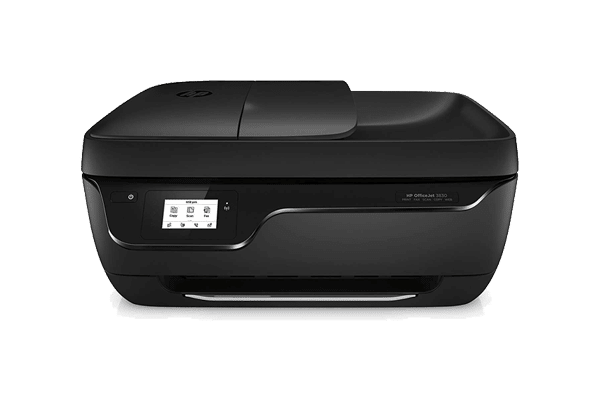
The HP OfficeJet 3830 is designed for households where printing often revolves around schoolwork and everyday documents. Many families consider it one of the best home printer for students because it combines printing, scanning, copying, and wireless connectivity in a compact machine.
Students frequently need to print assignments, worksheets, and reports. This printer handles those tasks without complicated setup. Wireless printing allows documents to be sent directly from laptops, tablets, or phones, which is useful when multiple family members share the same device.
The built-in scanner is another helpful feature. Homework sheets, signed forms, or study notes can quickly be scanned and shared digitally. While the cartridge system may require regular replacements, the overall device remains affordable and practical for basic home printing needs.
Pros & Cons
| Pros | Cons |
|---|---|
| Affordable student printer | Ink cost higher |
| All-in-one functionality | Slower color prints |
| Wireless printing | Small input tray |
10. Canon PIXMA TS6420 Wireless Printer

The Canon PIXMA TS6420 focuses on simple wireless printing with strong compatibility across devices. Many Apple users choose it as a best home printer for mac due to its smooth integration with AirPrint and other mobile printing options.
The printer allows documents and photos to be printed directly from iPhones, iPads, and Mac computers without installing complex drivers. Setup is straightforward, which makes it appealing for users who prefer a quick plug-and-play experience.
Although compact, the device handles everyday printing tasks reliably. It supports scanning and copying, allowing it to function as a small all-in-one unit for households with limited space. For Mac users who want effortless wireless printing, this model remains a practical choice.
Pros & Cons
| Pros | Cons |
|---|---|
| AirPrint support | Ink cartridge cost |
| Easy setup | Average speed |
| Compact design | Limited paper capacity |
11. Epson EcoTank ET-3850 Printer

The Epson EcoTank ET-3850 is built for households that print regularly throughout the month. Instead of traditional cartridges, it uses refillable ink tanks that hold a large volume of ink. This design helps reduce long-term printing costs while maintaining steady output.
Families that print homework sheets, documents, and occasional photos often benefit from this high-capacity system. Each refill bottle produces thousands of pages, which means fewer interruptions and lower cost per page over time.
The printer also includes automatic duplex printing and a document scanner, making it suitable for everyday home office tasks. For users who expect moderate to heavy home printing, the ET-3850 provides dependable performance with minimal maintenance.
Pros & Cons
| Pros | Cons |
|---|---|
| Large ink tank | Higher upfront cost |
| Automatic duplex | Larger size |
| Reliable high volume printing | Slower photos |
12. HP Smart Tank 7001 Printer

The HP Smart Tank 7001 focuses on high-yield printing with extremely low running costs. Instead of cartridges, it uses refillable ink bottles that supply thousands of pages. This makes it attractive for households looking to reduce long-term printing expenses.
The printer works well for documents, school materials, and everyday household printing. Wireless connectivity allows printing from laptops, smartphones, and tablets without needing a direct cable connection.
Its ink tank design significantly lowers the cost per page compared with cartridge printers. While the initial purchase price may be higher than entry-level models, the long-term savings often make the device more economical for families that print frequently.
Pros & Cons
| Pros | Cons |
|---|---|
| Extremely low ink cost | Slower color prints |
| High page yield | Initial price |
| Wireless printing | Basic display |
How to Choose the best home printer
Buying a printer for home use often looks simple at first. Many models advertise fast printing, wireless setup, or cheap ink. After a few months of real use, however, the difference between a good device and a frustrating one becomes obvious.
Some households mainly print school assignments and short documents. Others regularly print photos, forms, or small work reports. The best home printer should match these daily habits instead of focusing only on specifications or marketing claims.
Several practical factors affect how comfortable a printer feels during everyday use. Printing technology, page volume, running cost, and connection options all influence whether a home printer remains reliable over time.
The sections below explain the main points worth checking before choosing a printer for home use.
Inkjet vs Laser Printers
Most home printers fall into two main categories: inkjet and laser. Both types work well in different situations, and the right choice depends on the kind of documents printed most often.
Inkjet printers spray small droplets of ink onto paper. This method works well for color graphics and photos. Many households choose inkjet models as their home printer because they support scanning, copying, and color printing in one compact device.
Laser printers operate differently. Instead of liquid ink, they use toner powder and heat to fuse text onto the page. This process produces very sharp text and faster printing speeds, especially for multi-page documents.
Key differences include:
Inkjet printers
- Better for photos and color graphics
- Lower purchase price in many entry models
- Common in compact all-in-one printers
- Suitable for mixed printing tasks at home
Laser printers
- Faster text printing speed
- Toner lasts longer than most cartridges
- Reliable for document-heavy workloads
- Often preferred for occasional document printing
Households that print photos or school projects usually prefer inkjet models. Homes that mainly print text documents often find laser printers more consistent for daily paperwork.
Print Volume
Print volume refers to how many pages are printed during a typical month. This factor plays a large role when selecting a printer for home use. A machine designed for light printing may struggle if it handles hundreds of pages every month.
Some households only print a few forms or labels from time to time. Others print assignments, worksheets, reports, and travel documents every week. The right best home printer should handle this workload without constant maintenance or slowdowns.
Typical home printing patterns include:
- Low print volume – occasional documents, receipts, or shipping labels
- Moderate print volume – homework sheets and family paperwork
- High print volume – frequent reports, school materials, or home office documents
Low-volume users often prefer compact inkjet printers that sit quietly until needed. Higher monthly printing usually benefits from laser models or refillable tank printers built for heavier workloads.
Ink Cost
Printing costs do not stop at the purchase price. Ink replacement can quickly become the largest expense for a home printer, especially in households where printing happens every week.
Cartridge printers remain common in entry-level devices. These models are easy to install and widely available, but the cartridges may require replacement sooner than many buyers expect.
Ink-tank printers store ink in refillable reservoirs instead of small cartridges. This design allows thousands of pages to be printed before refilling. For households that print frequently, this system can reduce the long-term cost of using a best home printer.
Important points to consider include:
- Cartridge printers usually have lower upfront cost
- Ink-tank printers provide a much lower cost per page
- Laser toner cartridges often last longer than ink cartridges
- High print volumes benefit from refillable ink systems
For many households, the real expense of a printer appears after months of use. Checking the estimated page yield of cartridges or toner helps prevent surprises later.
Wireless Connectivity
Printing rarely happens from a single computer anymore. Many households rely on smartphones, tablets, laptops, and cloud storage for everyday tasks. A modern printer for home use should connect easily to these devices.
Wireless printing allows documents to be sent directly from different rooms without connecting cables. This flexibility becomes useful when several family members share the same home printer.
Important connectivity features include:
- Wi-Fi printing for network access from multiple devices
- Mobile printing apps for Android or iOS smartphones
- AirPrint compatibility for Apple devices
- Cloud printing support from online storage services
These options make everyday printing more convenient. A well-connected best home printer allows documents, photos, and homework assignments to print quickly from almost any device in the house.
Wrapping Up
Choosing the best home printer rarely comes down to one feature alone. Different households print for different reasons. Some need a simple device for homework and occasional documents, while others print photos, craft materials, or regular paperwork throughout the week.
The models covered in this guide represent several common home printing situations. Compact inkjet printers work well for light tasks and family documents. Laser printers deliver reliable text printing and remain ready even after long periods without use. Ink-tank printers focus on lowering long-term printing costs for households that print more frequently.
When comparing options, it helps to focus on daily habits rather than technical specifications. A family printing school assignments may value scanning and wireless setup more than high photo resolution. Someone printing only a few pages each month may prefer a laser printer that avoids dried ink problems.
Space and connectivity also influence the final decision. A small apartment may benefit from a compact all-in-one device, while larger households often choose printers that multiple users can access over Wi-Fi. Features such as mobile printing, automatic duplex printing, and document scanning can make everyday tasks far easier.
The best home printer is ultimately the one that fits the way printing happens in your home. By comparing print technology, running costs, and connectivity features, it becomes easier to narrow the choices and select a printer that performs reliably for everyday documents, photos, and household projects.
FAQs About Best Home Printers
What is the best home printer for occasional printing?
Laser printers often perform well for occasional printing since toner does not dry out like liquid ink. Models such as the Brother HL-L2350DW remain ready even after long periods without use.
Are inkjet or laser printers better for home use?
Both types work well depending on the task. Inkjet printers handle color graphics and photos effectively, while laser printers excel at fast text printing and high document volumes.
Which printer type has the cheapest ink?
Ink-tank printers usually offer the lowest cost per page. These systems store large amounts of refillable ink, allowing thousands of pages to print before refilling.
What is the best home printer for students?
Students often benefit from compact all-in-one printers with scanning and wireless printing. These features make it easier to print assignments and scan documents for school.
